
Office Timeline Pro is best for teams that need clean project timelines inside PowerPoint without rebuilding charts by hand. PowerPoint still sits at the center of business presentations, helped by Microsoft 365’s huge commercial base of more than 400 million paid seats [source: Microsoft]. Lucidchart is stronger for diagrams, systems, and process maps, but Office Timeline Pro wins when the goal is a board-ready roadmap, Gantt chart, or milestone plan on a slide.
TLDR: Office Timeline Pro turns project data into polished PowerPoint timelines faster than manual slide work. For example, a project manager with 48 tasks and 12 milestones could import an Excel plan and produce a clean executive slide in about 10 to 15 minutes, instead of spending an hour dragging shapes around. PowerPoint remains the delivery tool, Lucidchart handles complex diagrams, and Office Timeline Pro fills the gap between project planning and presentation. It is not perfect, but it saves real time when deadlines are close.

Where Office Timeline Pro Fits
Office Timeline Pro is a PowerPoint add-in. That matters. It does not ask teams to leave the slide deck, export files, or rebuild the same visual in another app. A user can create timelines, swimlanes, Gantt charts, and roadmaps directly in PowerPoint.
This is useful for project reviews, sales plans, product launches, quarterly updates, and change programs. The output feels made for executives. It is visual, short, and easy to scan.
The catch is that it is not a full project management system. It will not replace tools like Microsoft Project, Asana, Jira, or Smartsheet. It is better seen as the presentation layer. The plan may live elsewhere. Office Timeline Pro makes that plan readable in a meeting.
PowerPoint Is Still the Base Layer
PowerPoint is not trendy, but it survives because everyone knows it. Stakeholders ask for slides. Boards ask for slides. Clients ask for slides. That is why Office Timeline Pro works so well. It improves the part of PowerPoint that often causes pain: building precise timeline graphics.
Manual timeline building in PowerPoint gets old fast. Aligning dates, resizing bars, fixing spacing, and moving milestone labels can eat 20 or 30 minutes for one slide. It drives people mad when a date changes and the whole layout breaks.
Office Timeline Pro cuts that work down. It lets teams import data from Excel and other planning tools, then style the result inside PowerPoint. The user can adjust colors, dates, shapes, and labels without starting over.
Teams that prepare looping kiosk decks or unattended event screens may also pair these visuals with a guide on how to make a PowerPoint presentation loop automatically. A roadmap slide often works well in that setup.
How Lucidchart Compares
Lucidchart serves a different job. It is built for diagrams. Flowcharts, org charts, network diagrams, wireframes, and process maps are its strong points. It is better when a team needs to explain how something works.
Office Timeline Pro is better when a team needs to explain when something happens. That is the simple divide.
- Office Timeline Pro: Best for timelines, Gantt charts, milestones, roadmaps, and project status slides.
- PowerPoint: Best for final delivery, presenting, branding, and stakeholder communication.
- Lucidchart: Best for systems, processes, workflows, org structures, and technical diagrams.
Lucidchart can be used in presentations, of course. Its diagrams can be exported and placed into slide decks. But editing those visuals after export can feel clunky. If the meeting slide is the final product, Office Timeline Pro tends to feel smoother.
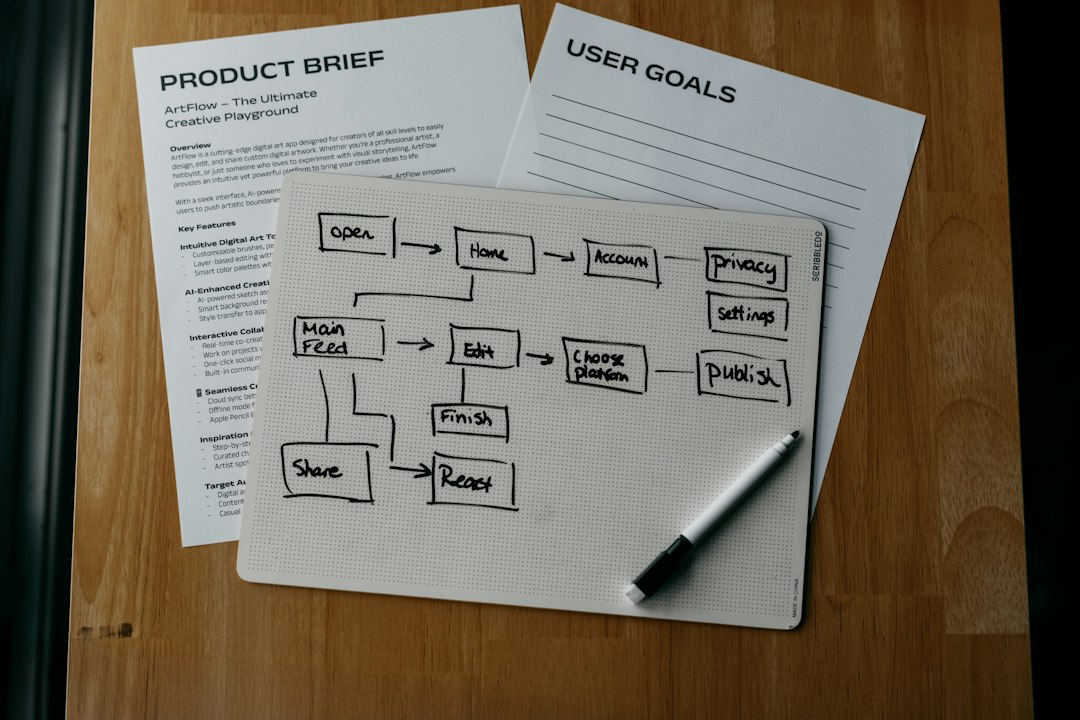
Best Use Cases for Office Timeline Pro
Office Timeline Pro is strongest when clarity matters more than deep task control. A status meeting does not need every dependency. It needs the risks, dates, owners, and big milestones.
Common use cases include:
- Product launches: phases, release dates, testing windows, and go live milestones.
- Client projects: kickoff, approvals, delivery stages, and payment points.
- Executive updates: short timelines that show progress without clutter.
- Marketing calendars: campaign waves, content drops, and review cycles.
- Change programs: training, rollout stages, and adoption checkpoints.
For presenters who want more than static charts, timelines can be paired with interactive presentation ideas. A timeline slide can become a decision point, a progress vote, or a risk review.
Weak Spots to Know
Office Timeline Pro is helpful, but it is not magic. Large plans can still get crowded. A roadmap with 200 tasks will not look elegant on one slide. Someone must trim the message.
There is also a learning curve. It is not steep, but first-time users may spend time finding style controls and import options. Honestly, it feels like some formatting panels need one click too many. That extra friction matters when a deck is due in 30 minutes.
Another issue is collaboration. PowerPoint files still get passed around, copied, renamed, and edited by different people. That can create version confusion. Cloud sharing helps, but teams still need a clear owner for the final slide.
Where AI Presentation Tools Enter
AI tools are changing presentation work. They can draft outlines, suggest slide titles, summarize project notes, and create first-pass visuals. Still, many AI slides need cleanup. Dates must be checked. Layouts must fit the company style.
That is why Office Timeline Pro still has a practical role. It handles structured time-based visuals better than many general AI presentation apps. Teams comparing options may want to review the best AI powered presentation tools in 2025 and treat Office Timeline Pro as a specialist, not a replacement for every tool.
Final Take
Office Timeline Pro, PowerPoint, and Lucidchart work best as a set. PowerPoint presents the story. Lucidchart explains systems and processes. Office Timeline Pro shows deadlines, stages, and progress in a format leaders can read fast.
For teams that live in project updates, Office Timeline Pro can save hours each month. It reduces slide cleanup, cuts manual formatting, and makes plans easier to discuss. That is enough to make it worth serious consideration.
FAQ
- What is Office Timeline Pro?
Office Timeline Pro is a PowerPoint add-in for creating timelines, Gantt charts, roadmaps, and milestone slides. - Is Office Timeline Pro better than Lucidchart?
It depends on the task. Office Timeline Pro is better for timelines and project plans. Lucidchart is better for diagrams and workflows. - Does Office Timeline Pro replace PowerPoint?
No. It works inside PowerPoint and improves timeline creation. - Who should use Office Timeline Pro?
Project managers, product teams, consultants, marketers, and executives who need clear project visuals can benefit from it. - Can Office Timeline Pro import data?
Yes. It can import project data from sources such as Excel, which helps reduce manual slide work.