
Square is the easiest SwipeSimple alternative for most small businesses, but Clover, Shopify POS, PayPal Zettle, SumUp, and Helcim each fit a different type of checkout. SwipeSimple works well for mobile card acceptance, yet many owners want better online selling, richer inventory, faster hardware, or clearer pricing. Card processing fees often fall around 1.5% to 3.5% per transaction, so even small rate differences can matter when volume grows [source: Forbes].
TLDR: Choose Square if you want the simplest all-in-one setup for mobile checkout and POS. Pick Shopify POS if your store sells both online and in person, especially if 30% or more of sales come from ecommerce. For example, a pop-up bakery doing 80 card payments a day at $12 each may care more about speed and receipt tools than advanced reporting. A growing boutique, though, may save hours each week with inventory syncing across web and store sales.

1. Square: Best for simple setup and everyday selling
Square is the best first stop for many small businesses. It has free POS software, simple card readers, invoices, online ordering, staff tools, and basic inventory. You can sell at a counter, at a market, through a payment link, or on a phone.
The good part is how little setup it needs. Create an account, connect a reader, add items, and start selling. That matters if you run a food truck on Saturday and do not want to spend Friday night fighting settings.
- Best for: cafes, salons, market vendors, small retailers, service pros
- Standout feature: Very easy POS with lots of add-ons
- Watch out for: Account reviews can delay funds for some sellers
Honestly, it feels like Square wins because it removes boring work. Not because it is perfect. Reports can feel basic once your business gets more complex.
2. Clover: Best for countertop POS and custom hardware
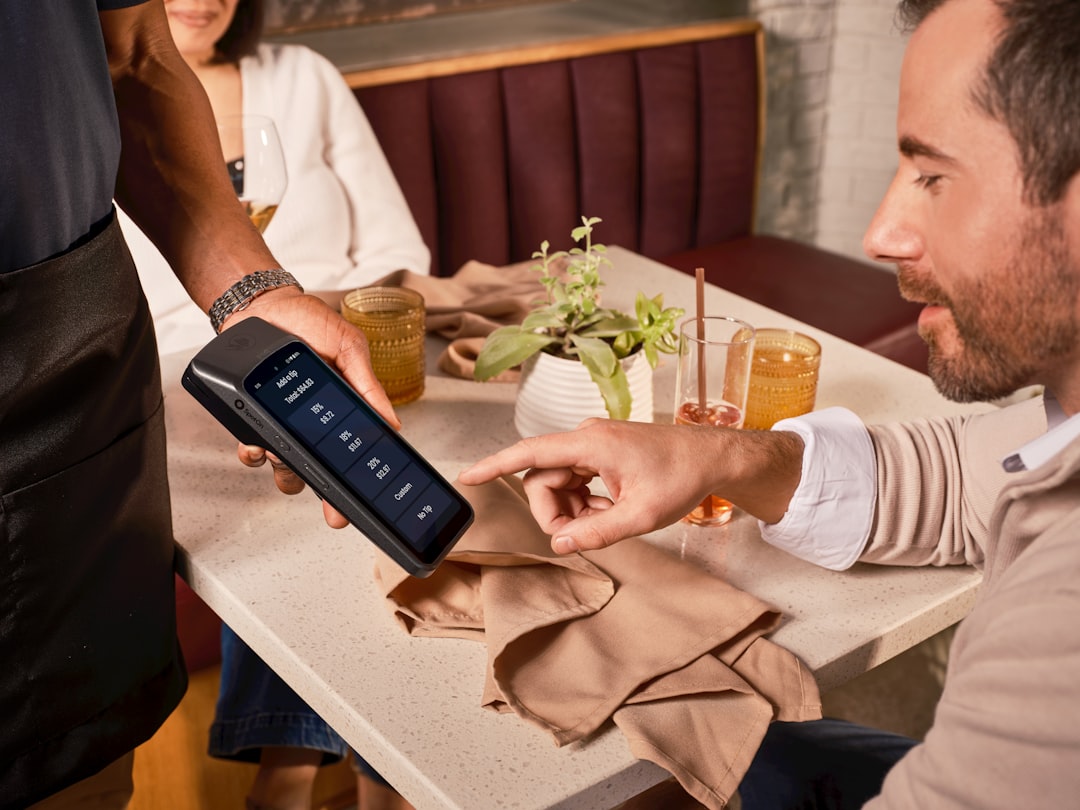
Clover is a strong SwipeSimple alternative if you want polished hardware. Its terminals, registers, and handheld devices feel built for real checkout lines. Restaurants, quick-service shops, and retail counters often like Clover because the hardware looks professional and runs smoothly.
Clover also has an app market. That lets you add tools for loyalty, scheduling, payroll, gift cards, and online ordering. The catch is that pricing can vary based on where you buy it. Some Clover systems are sold through banks or merchant service providers, and contract terms can differ.
- Best for: restaurants, retail shops, salons, kiosks
- Standout feature: Great hardware choices
- Watch out for: Contracts and monthly costs can get messy
If you want full control before signing, ask for the full fee schedule. Get the cancellation terms in writing. It is boring, yes. It can also save you money.
3. Shopify POS: Best for online and in-store selling
Shopify POS makes the most sense when ecommerce matters. If you sell through a website, Instagram, pop-ups, and a physical store, Shopify keeps products, stock, and customer records in one place.
This is where it beats many basic mobile payment apps. A customer can buy a shirt online, exchange it in store, and still stay tied to one customer profile. Staff can check stock across locations. Owners can see which products sell better online than in person.
- Best for: boutiques, gift shops, creators, omnichannel sellers
- Standout feature: Strong ecommerce and POS sync
- Watch out for: Full POS features may require higher plans
It drives me crazy that some useful retail features sit behind upgrades. Still, if online sales are a serious part of your income, Shopify POS is hard to ignore.
4. PayPal Zettle: Best for PayPal-friendly businesses
PayPal Zettle is a good fit if your customers already like PayPal or Venmo-style payments. It supports mobile card readers, product libraries, receipts, and basic POS needs. It is simple enough for craft fairs, local services, charity events, and small retail setups.
The biggest benefit is customer trust. Many people already have PayPal accounts. That can help with online invoices or payment links. Zettle is also easy to carry, which helps sellers who move between events.
- Best for: mobile sellers, event vendors, nonprofits, freelancers
- Standout feature: PayPal ecosystem
- Watch out for: POS features are lighter than Square or Clover
If you need deep inventory, kitchen printing, or complex staff permissions, Zettle may feel too limited. For quick payments, it works well.
5. Helcim: Best for growing businesses that want clear pricing
Helcim is a smart option for businesses with higher monthly card volume. It uses interchange-plus pricing, which can be more transparent than flat-rate pricing. That means your costs move with the actual card network fees plus Helcim’s markup.
Helcim includes invoicing, recurring payments, virtual terminal tools, online checkout, and card readers. It is especially useful for service businesses, B2B sellers, clinics, studios, and companies that take larger transactions.
- Best for: growing service businesses, B2B sellers, higher-ticket sales
- Standout feature: Transparent pricing model
- Watch out for: Not as plug-and-play as Square for tiny sellers
If your average ticket is $200 instead of $12, pricing structure matters more. A slightly lower effective rate can add up fast.
Image not found in postmeta
Quick comparison
- Square: Best overall for quick setup and simple POS.
- Clover: Best for businesses that want strong hardware.
- Shopify POS: Best for stores selling online and in person.
- PayPal Zettle: Best for mobile sellers who like PayPal.
- Helcim: Best for growing businesses that care about pricing clarity.
How to choose the right SwipeSimple alternative
Start with how you sell. If you mostly take payments at markets, keep it simple. Square or Zettle may be enough. If you run a fixed counter with staff, Clover deserves a look. If online sales are part of the plan, Shopify POS is the safer bet.
Next, check the total cost. Do not stop at the card rate. Add hardware, monthly software, chargeback fees, add-ons, and contract terms. Expect to waste time on pricing pages if you compare Clover resellers. Some make the answer harder than it should be.
Finally, test the checkout flow. A tool can look great on paper and still annoy staff. Time one sale. Refund one order. Add one new item. If those steps feel slow now, they will feel worse during a rush.
Best pick for most small businesses: Square. Best pick for retail growth: Shopify POS. Best pick for larger payment volume: Helcim. The right choice is the one that keeps checkout fast, fees clear, and your day a little less chaotic.