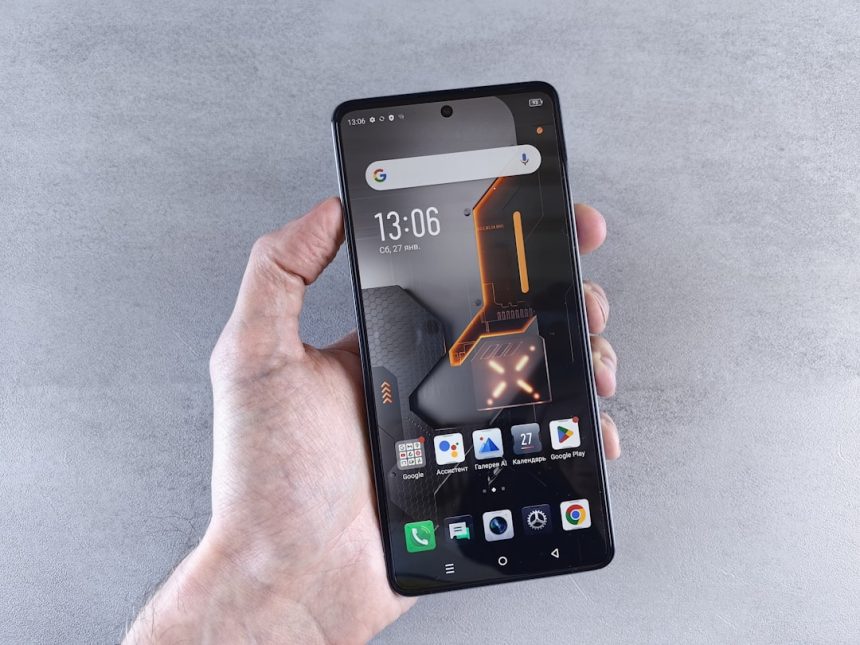
Looking for a budget smartphone that can snap crisp pics and handle your gaming needs? The Infinix Hot 40 Pro might just be your next favorite gadget. This phone packs some exciting features at a surprisingly good price. But how good is it for those Instagram-worthy shots and long gaming sessions? Let’s break it down!
TL;DR
The Infinix Hot 40 Pro delivers a solid camera for its price, especially in daylight. Its gaming performance is also impressive, making it great for casual to mid-level gamers. You may notice some lag during intense sessions, but it’s generally smooth. For what you pay, this phone gives you a lot of value.
First Impressions
The phone feels premium with its sleek design. You’ll notice the large 6.78-inch screen right away. It’s bright, colorful, and perfect for scrolling and gaming. The rear cam module also looks quite modern and sporty.

The UI is XOS 13, based on Android 13. It’s clean and easy to use. There are a few bloatware apps, but nothing overwhelming.
Camera Setup
The Infinix Hot 40 Pro features a 108MP main rear camera, a big number for a budget phone! Alongside it, there’s an AI lens for depth effects. The selfie camera is a 32MP shooter.
Photo Quality
- Daylight shots: Sharp, colorful, and full of detail
- Low light: A bit grainy, but still usable
- Selfies: Super clear, great skin tones
The main rear camera does well in bright environments. Skies look blue, trees look green, and facial details pop. HDR works well too — it balances shadows and highlights nicely. At night, shots tend to smudge if you’re not steady. There’s a “Super Night Mode” that helps, but don’t expect flagship-level results.

Video Recording
- 1080p @30fps is the max
- No OIS (optical image stabilization)
- Colors and sharpness are good in daylight
Video quality is fair, best used in stable lighting. The lack of OIS means your hand movements can make videos shaky. Use a tripod or lean on something for better results.
Gaming Performance
This is where the Infinix Hot 40 Pro really surprises. It is powered by a MediaTek Helio G99 processor and comes with 8GB RAM (expandable up to 16GB with virtual RAM). You also get 128GB of storage (expandable via microSD).
Real-Life Gaming Test
We tested the phone with some popular games:
- Call of Duty: Mobile — Played smoothly at medium graphics
- Mobile Legends — No lag, even during team fights
- Asphalt 9 — Minor frame drops during big crashes
The Helio G99 is quite efficient. It keeps things fast without getting too hot. After 45 minutes of play, the back gets only slightly warm. There’s a Game Mode too, which boosts performance by cutting background tasks.
The display makes gaming fun. It has a 120Hz refresh rate which is rare at this price. Movements are smooth and responsive. Touch sampling is decent too, so your taps and swipes respond quickly.
Image not found in postmetaBattery and Heat Management
The phone packs a 5000mAh battery. This is good enough for a full day of use, even if you’re gaming or snapping pics frequently. With moderate use, you’ll get nearly 1.5 days.
It supports 33W fast charging. That means it goes from 0 to 70% in about 45 minutes. Full charge takes around an hour and fifteen minutes. Not bad!
As mentioned earlier, heat isn’t a major issue. The back gets slightly warm but nothing uncomfortable.
Special Features Worth Mentioning
- Side-mounted fingerprint sensor – Fast and accurate
- Dual speakers with DTS Sound – Loud and good quality for gaming
- Magic Ring – A floating pop-up feature, kind of like iPhone’s Dynamic Island. Shows battery status, call alerts, and more.
These extra goodies make the phone feel more premium. The Magic Ring, especially, is fun to use and adds a unique touch.
Who Should Buy It?
If you’re into mobile photography but have a tight budget, this phone checks the right boxes. Love gaming but can’t afford a flagship? This one can hold its own. Students, casual gamers, and social media fanatics — the Hot 40 Pro is made for you.
Areas for Improvement
As great as it is, there are a few things to think about:
- No 5G support
- No ultra-wide lens on the camera — limits versatility
- Still some bloatware on the software side
These are not dealbreakers for most people, but it’s better to know ahead of time.
Final Verdict
The Infinix Hot 40 Pro is an excellent budget smartphone for people who want more for less. The 108MP camera takes sharp, beautiful photos in the right conditions. Gaming is fluid and fun thanks to the Helio G99 and 120Hz screen. Throw in long battery life and fast charging, and you’ve got a winner.
Sure, it’s not perfect. But for the price, it gives a lot — maybe even more than you’d expect.
Rating:
Camera: 8/10
Gaming: 8.5/10
Overall Value: 9/10