As remote work and distributed teams continue to grow, screen recording and async video collaboration tools have become essential for communication. Loom has long been a popular choice for quickly recording screens, sharing updates, and providing visual feedback. However, it isn’t the perfect fit for every team. Pricing, feature limitations, privacy concerns, or integration needs can push businesses to explore alternative solutions that better match their workflows and budgets.
TLDR: There are numerous powerful alternatives to Loom that offer advanced editing, enhanced collaboration, better privacy controls, or lower costs. Tools like Camtasia, OBS Studio, Vidyard, and ScreenPal each cater to different needs—from enterprise communications to content creation. The right choice depends on team size, technical requirements, and desired integrations. Below is a comparison of seven standout Loom alternatives and what makes each one unique.
Below are seven of the most effective Loom alternatives for screen recording and video collaboration in 2026.
1. Camtasia
Camtasia is a feature-rich screen recording and video editing platform widely used by educators, marketers, and trainers. Unlike Loom, which focuses primarily on quick recordings and sharing, Camtasia provides a full editing suite for producing polished, professional videos.
Key Features:
- Advanced video editing tools
- Transitions, animations, and effects
- Audio enhancement options
- Quizzing and interactivity for training videos
Best for: Professionals who need high-quality, edited content rather than quick internal updates.
Camtasia comes at a higher price point but justifies it with extensive capabilities. For companies producing customer-facing tutorials or educational courses, it can be a superior long-term investment.
2. OBS Studio
OBS Studio is a free, open-source software known for its powerful screen recording and live streaming capabilities. While it lacks Loom’s built-in sharing and collaboration simplicity, it excels in flexibility and customization.
Key Features:
- Unlimited recording length
- Multiple scene composition
- Advanced audio mixing
- Live streaming integration
Best for: Tech-savvy users, streamers, or teams comfortable configuring their own workflows.
OBS Studio has a steeper learning curve, but the lack of subscription fees makes it appealing to startups and individual creators who prioritize cost control.
3. Vidyard
Vidyard is a strong competitor to Loom, particularly in sales and marketing environments. It combines screen recording with robust analytics and personalization features.
Key Features:
- Viewer engagement tracking
- CRM integrations
- Custom branding and calls to action
- Secure sharing options
Best for: Sales teams, outbound marketing, and customer engagement strategies.
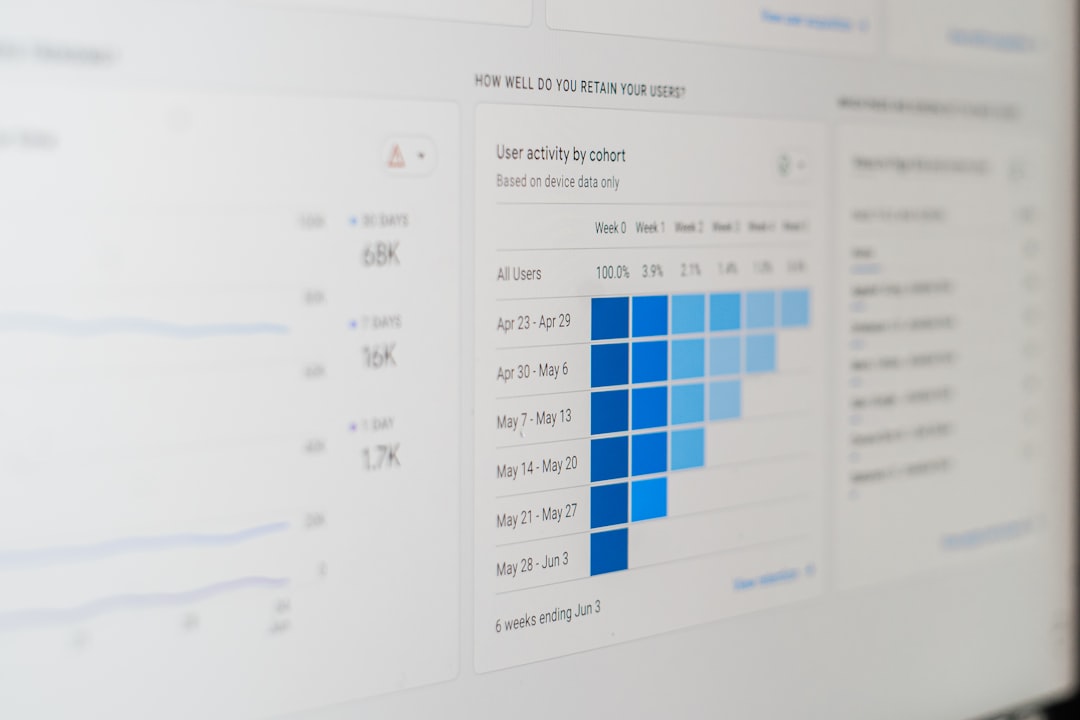
Vidyard’s analytics give businesses insight into who watched a video and for how long, helping refine messaging. For revenue-focused teams, these metrics provide significantly more visibility than Loom’s basic tracking.
4. ScreenPal (formerly Screencast-O-Matic)
ScreenPal is a budget-friendly screen recording platform that balances simplicity with useful editing tools. It supports both individual creators and small teams.
Key Features:
- Built-in video editor
- Stock library access
- Captions and speech-to-text
- Cloud hosting and sharing
Best for: Educators, freelancers, and small businesses.
ScreenPal provides more editing features than Loom while maintaining an intuitive interface. For teams that want something quick but flexible, it may offer the ideal compromise.
5. Snagit
Snagit, developed by TechSmith (the same company behind Camtasia), specializes in quick screen captures and short-form recordings. It prioritizes clarity and fast turnaround.
Key Features:
- Quick image and screen capture
- Simple trimming tools
- Annotation and markup features
- Easy file sharing
Best for: Internal documentation and short feedback loops.
Snagit is lighter than Camtasia and more structured than OBS. Its strength lies in producing visual documentation without overwhelming users with complex controls.
6. Microsoft Clipchamp
Microsoft Clipchamp integrates seamlessly with the Microsoft 365 ecosystem. It offers browser-based recording and editing along with collaborative features.
Key Features:
- Cloud-based video editing
- Integration with OneDrive and Teams
- Templates and stock assets
- Text-to-speech tools
Best for: Organizations already using Microsoft 365.
Image not found in postmeta
For enterprise users, Clipchamp’s integration reduces friction. Videos can be recorded, edited, and shared directly within Teams, improving workflow continuity.
7. Zight (formerly CloudApp)
Zight combines screen recording, GIF creation, and screenshot functionality into one collaborative tool. It emphasizes speed and simplicity.
Key Features:
- Instant sharing links
- Screen capture and GIF support
- Annotation tools
- Team management dashboard
Best for: Fast-paced teams that value micro-communication.
Zight is particularly effective for quick bug reporting, product feedback, or asynchronous check-ins. Its hybrid approach blends the immediacy of screenshots with the depth of video.
Comparison Chart: Loom Alternatives
| Tool | Best For | Editing Features | Collaboration | Pricing Model |
|---|---|---|---|---|
| Camtasia | Professional content creation | Advanced | Limited team tools | One-time purchase |
| OBS Studio | Streaming and custom setups | Minimal native editing | None built-in | Free |
| Vidyard | Sales and marketing | Moderate | Strong analytics and CRM | Subscription |
| ScreenPal | Small teams and educators | Moderate | Cloud sharing | Freemium |
| Snagit | Documentation | Basic | File sharing | One-time purchase |
| Clipchamp | Microsoft environments | Moderate | Strong Microsoft integration | Freemium |
| Zight | Quick communication | Basic trimming | Team dashboard | Subscription |
How to Choose the Right Loom Alternative
When evaluating alternatives, organizations should consider more than just price. Key decision factors include:
- Ease of use: Can non-technical team members adopt it quickly?
- Integration: Does it connect with Slack, Teams, CRM systems, or cloud storage?
- Editing depth: Are simple trims enough, or is full production editing required?
- Security: Does it offer password protection, encryption, or compliance certifications?
- Scalability: Can it grow with the organization?
Smaller teams might prioritize affordability and simplicity, while enterprises may need integrations, governance, and analytics. There is no universal best choice—only the best fit for a given workflow.
Final Thoughts
Loom transformed the way teams communicate asynchronously, but it is no longer the only game in town. As video becomes central to internal updates, product demos, customer engagement, and training, businesses require tools tailored to their unique objectives.
Whether seeking advanced video production capabilities like Camtasia, detailed analytics through Vidyard, or a free open-source solution like OBS Studio, teams now have a wide array of options. Exploring these alternatives thoughtfully can lead to improved collaboration, clearer communication, and stronger productivity in remote and hybrid environments.
Frequently Asked Questions (FAQ)
1. Why would someone look for a Loom alternative?
Teams may seek alternatives due to pricing, limited editing capabilities, privacy concerns, or a need for stronger integrations with CRM or project management tools.
2. What is the best free alternative to Loom?
OBS Studio is the most powerful free option, though it lacks built-in collaboration tools. ScreenPal and Clipchamp also offer generous free plans.
3. Which Loom alternative is best for sales teams?
Vidyard stands out because of its video analytics, CRM integrations, and personalized video features that enhance customer outreach.
4. Are there alternatives better suited for internal training?
Yes. Camtasia is ideal for detailed training and course creation due to its advanced editing tools and interactive elements.
5. What should businesses prioritize when choosing a screen recording tool?
They should prioritize ease of use, integration compatibility, editing capabilities, data security, and scalability to ensure long-term value.
6. Can these alternatives support remote and hybrid teams?
Yes. Most of the listed tools offer cloud sharing, team management dashboards, or integration with communication platforms that support distributed teams.
By selecting the right screen recording and video collaboration platform, organizations can strengthen communication, streamline workflows, and adapt seamlessly to the demands of modern work.