


FlyingPress is usually the better pick if your main goal is raw WordPress speed, while WP Rocket is the safer choice if you want a polished interface, broad compatibility, and fewer setup surprises. Both plugins can make a slow site feel much faster. The real difference is how much control you want, how technical you are, and how much time you are willing to spend testing exclusions when a menu, form, slider, or cart starts acting weird.
TLDR: Choose FlyingPress if you care most about Core Web Vitals, lean asset loading, and squeezing extra milliseconds from a busy site. Choose WP Rocket if you want a more beginner-friendly setup and a plugin that plays nicely with many WordPress themes and page builders. For example, on a 30-page marketing site, WP Rocket might cut load time from 3.8 seconds to 2.1 seconds, while FlyingPress could push it closer to 1.7 seconds after careful tuning. If you run WooCommerce, memberships, or complex forms, expect more testing with either plugin.
Quick comparison
- Best for speed obsessives: FlyingPress
- Best for beginners: WP Rocket
- Best interface: WP Rocket
- Best asset optimization: FlyingPress
- Best broad plugin compatibility: WP Rocket
- Best for agencies managing many tuned sites: FlyingPress, if the team knows performance work
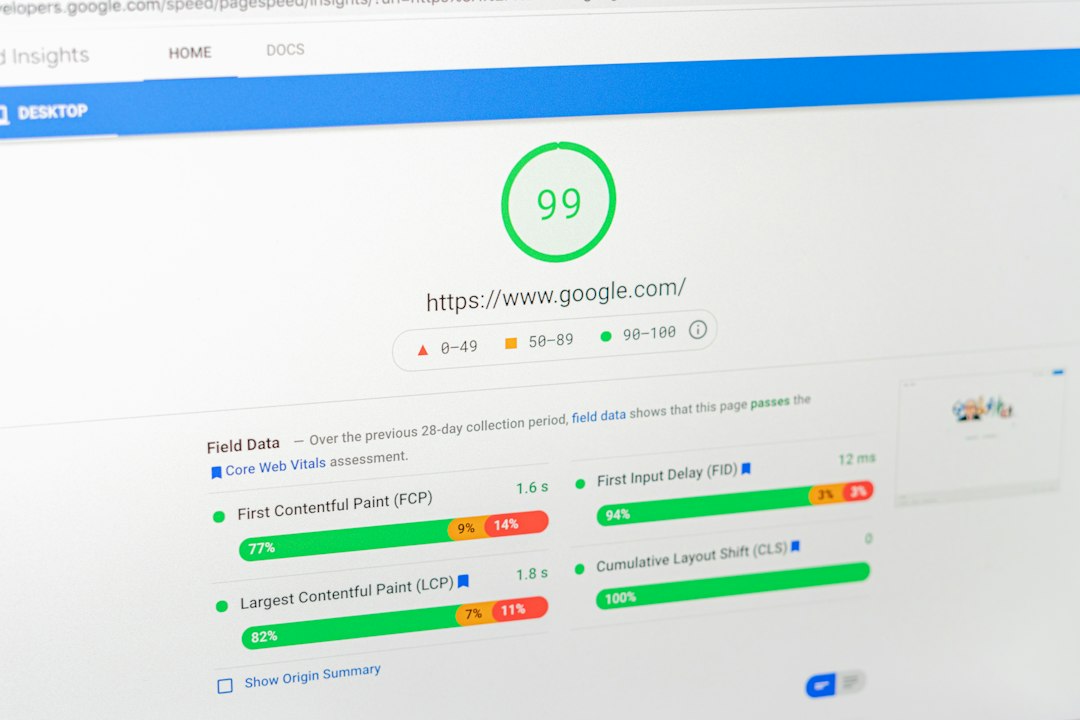
Both plugins handle the basics: page caching, cache preloading, CSS optimization, JavaScript delay, lazy loading, font tweaks, and database cleanup. That list sounds similar, which is why the choice gets annoying. The differences show up after you turn on the advanced settings and run real pages through PageSpeed Insights, WebPageTest, or GTmetrix.
WP Rocket: polished, stable, and easy to trust
WP Rocket has been one of the most popular WordPress caching plugins for years. Its biggest strength is not one magic feature. It is the overall experience. The settings are clean. The labels make sense. Most site owners can install it, enable recommended options, clear the cache, and see an instant win.
The plugin creates static cached versions of pages, reduces server work, preloads cache, delays JavaScript, removes unused CSS, lazy loads media, and can clean database overhead. It also supports CDN integration and works well with many hosts that already have server-level caching.
Honestly, it feels like WP Rocket was built for people who do not want to become full-time performance engineers. That matters. A confusing speed plugin can cost more time than it saves.
Where WP Rocket shines
- Simple setup: The dashboard is clear and friendly.
- Good compatibility: It works with many themes, builders, and plugins.
- Reliable caching: Page caching and preloading are solid.
- Helpful documentation: Guides are easy to follow.
- Database cleanup: Built-in cleanup helps remove revisions, transients, and clutter.
WP Rocket is especially strong for blogs, business sites, portfolios, and content-heavy websites. If a client asks for a faster site and does not want a technical lecture, WP Rocket is often the plugin you install first.
Where WP Rocket can frustrate you
WP Rocket is not perfect. Its advanced optimization can still break things. Delay JavaScript may interrupt a mobile menu. Removing unused CSS can cause layout flashes. A contact form script may load late. None of this is rare in performance work.
The bigger issue is that WP Rocket sometimes feels conservative compared with FlyingPress. It improves speed, but on tough Core Web Vitals problems, you may hit a wall. You can get a site from slow to good. Getting from good to excellent may take more custom work.
FlyingPress: faster, sharper, and less forgiving
FlyingPress is built for users who care about deep performance tuning. It focuses hard on asset loading, render-blocking resources, lazy rendering, font optimization, and reducing wasted browser work. In plain English, it tries to stop your site from loading stuff before visitors need it.
That approach can produce excellent results. It is common to see better Largest Contentful Paint, improved Total Blocking Time, and cleaner waterfall charts after careful setup. FlyingPress pairs especially well with FlyingCDN, which can optimize and deliver static files from a global network.
The catch is that FlyingPress may ask more from you. You may need to test exclusions for scripts, above-the-fold images, sliders, ads, tracking pixels, and WooCommerce fragments. Expect to waste time on one stubborn script that works fine until optimization is switched on. That is performance tuning in real life.
Where FlyingPress shines
- Strong Core Web Vitals focus: It is built with modern speed metrics in mind.
- Excellent JavaScript handling: Delay and defer options are powerful.
- Smart CSS optimization: Useful for cutting render-blocking CSS.
- Lazy rendering: Great for long pages with sections below the fold.
- CDN pairing: FlyingCDN can improve delivery and image handling.
FlyingPress is a smart pick for affiliate sites, SaaS landing pages, high-traffic blogs, and speed-focused agencies. If your revenue depends on search rankings, ad viewability, or conversion rates, those final fractions of a second matter.
Where FlyingPress can frustrate you
FlyingPress gives you power, but power creates chores. Some settings need careful exclusions. If you use a heavy page builder, several marketing scripts, chat widgets, popups, and analytics tools, testing can take a while.
It is not that FlyingPress is unstable. It is that aggressive optimization exposes weak parts of a WordPress setup. A bloated theme, five tracking tags, and three slider libraries will still be a mess. FlyingPress can help, but it cannot turn bad architecture into clean code by magic.
Performance: which one is faster?
FlyingPress usually wins on performance. Not always, but often. Its asset optimization feels more modern and aggressive. On simple sites, the difference may be small. On heavier pages, FlyingPress tends to pull ahead.
Here is a realistic example:
- Before optimization: Homepage loads in 4.2 seconds, mobile PageSpeed score is 48.
- With WP Rocket: Load time drops to 2.3 seconds, mobile score rises to 78.
- With FlyingPress: Load time drops to 1.8 seconds, mobile score rises to 86.
Those numbers are not guaranteed. Hosting, theme quality, image weight, third-party scripts, and database health all matter. Still, FlyingPress often has an edge when you tune it properly.
Ease of use: WP Rocket wins
WP Rocket is easier for non-technical users. The interface feels more guided. You do not need to understand every performance term before making progress. Most options include clear explanations, and the default setup is sensible.
FlyingPress is not hard to use, but it rewards users who know what to test. If you can read a browser console, compare waterfall charts, and spot render-blocking files, you will enjoy it more. If those words already annoy you, WP Rocket will feel calmer.
WooCommerce and complex sites
For WooCommerce, both plugins can work well. Both know not to cache cart, checkout, and account pages. Both can improve catalog pages and landing pages.
Still, eCommerce adds risk. Carts, price filters, wishlists, quick view buttons, currency switchers, and checkout scripts can break when JavaScript is delayed too much. WP Rocket is often easier here because its defaults are safer. FlyingPress can be faster, but you may need more exclusions.

Pricing and value
Both are paid plugins. WP Rocket plans have traditionally started around the single-site range, with higher tiers for more sites. FlyingPress is priced in a similar premium category, with plans based on site count. Always check current pricing before buying, because renewals and site limits can change.
Value depends on your use case. For a small business site, WP Rocket may be the better value because setup is quick. For a site earning serious traffic or ad revenue, FlyingPress can pay for itself if better speed improves rankings, engagement, or conversions.
Which should you choose?
Pick WP Rocket if you want a reliable plugin that is easy to configure, well documented, and friendly to less technical users. It is the better fit for most small business websites, blogs, and client projects where stability matters more than chasing perfect scores.
Pick FlyingPress if you want stronger performance controls and are comfortable testing. It is the better fit for site owners who watch Core Web Vitals closely and want maximum speed from a lean WordPress build.
Final verdict: FlyingPress is better for peak performance. WP Rocket is better for simplicity and predictable setup. If you hate tinkering, buy WP Rocket. If a 0.4 second gain makes you smile, FlyingPress is probably your plugin.







