Building a website used to feel like building a spaceship in your garage. You needed code. You needed patience. You needed coffee. Lots of coffee. Today, things are different. Visual editor CMS solutions have turned website creation into something much friendlier. Now you can point, click, drag, drop, and publish.
TLDR: Visual editor CMS solutions make website creation easier because you can build pages without writing code. You see changes as you make them, which saves time and lowers stress. They help beginners, small businesses, creators, and teams launch better websites faster. In short, they turn a scary tech job into a simple creative task.
What Is a Visual Editor CMS?
A CMS is a content management system. That sounds serious. But it simply means a tool that helps you manage website content.
A visual editor CMS takes things one step further. It lets you build and edit your site while looking at the page. You do not need to guess what the final result will look like. You can see it right there.
Think of it like arranging furniture in a room. You move a sofa. You see where it lands. You move a lamp. You see the room change. A visual editor works in the same way, but with text, images, buttons, forms, and sections.
Instead of typing code like this:
<div class="hero">Welcome</div>
You click a text box and type:
Welcome to our site!
Much nicer, right?
Why Website Creation Used to Be Hard
For many years, making a website was not simple. You had to understand different languages. HTML gave the page structure. CSS made it pretty. JavaScript added movement and action. Then came hosting, updates, plugins, databases, and security.
That is a lot.
If you were a business owner, artist, teacher, coach, or local baker, this was a problem. You wanted a website. But you did not want to become a web developer first.
So people often had two choices:
- Hire a professional developer.
- Try to learn everything alone.
Both options could be expensive. One cost money. The other cost time. Sometimes both cost patience.
Visual editor CMS tools changed the game. They made the process feel more like creating a slide deck or designing a flyer. You still need to make good choices. But you no longer need to fear the code monster under the bed.
Drag, Drop, Done
The biggest magic trick is drag and drop.
Want a picture under your headline? Drag an image block there. Want a button next to your text? Drop it in place. Want to move a whole section lower on the page? Grab it and slide it down.
This feels natural. It feels playful. It feels like building with digital blocks.
That is why visual editors are so powerful. They let more people join the website building party. You do not need to speak “developer.” You can speak “I want this thing over there.”
Here are common things you can add with a few clicks:
- Text sections for stories, news, and product details.
- Images for people, products, places, and vibes.
- Buttons that guide visitors to take action.
- Forms so people can contact you.
- Videos to explain ideas quickly.
- Galleries to show work or events.
- Menus to help visitors move around.
It is not quite magic. But it is close enough to deserve a tiny wizard hat.
You See Changes Right Away
One of the best parts of visual editing is instant feedback.
In older website tools, you often changed something in one place. Then you had to preview it somewhere else. Then you noticed the spacing was odd. Then you went back. Then you fixed it. Then you previewed again.
Round and round you went.
Visual editors reduce that loop. You change a headline. You see the new headline. You adjust an image. You see the new layout. You change a color. Boom. The button is now blue.
This helps beginners feel confident. It also helps experts work faster. Nobody enjoys guessing.
What you see is what you get is not just a nice phrase. It is a huge time saver.
Templates Give You a Head Start
Blank pages are scary.
A blank website page can feel even scarier. It stares at you. You stare back. Nothing happens.
Templates solve this problem. Most visual editor CMS solutions include ready made layouts. You can start with a design for a restaurant, shop, blog, portfolio, event, service business, school, or community group.
Then you swap in your own content.
You change the logo. You update the colors. You add your photos. You write your words. Before long, the template feels like your own site.
This is helpful because good website structure matters. A template often includes sections people expect to see, such as:
- A clear opening message.
- A short explanation of what you offer.
- Photos or examples.
- Customer reviews.
- Contact information.
- A strong call to action.
You do not have to invent the wheel. You just decorate it and make it roll in your direction.
Design Becomes Less Scary
Good design can feel mysterious. Why does one page look polished while another looks like a garage sale in a thunderstorm?
Visual editor CMS tools help by giving you guardrails. They often include spacing controls, color palettes, font pairings, alignment options, and reusable sections.
These features help you avoid common design chaos.
For example, you can use the same button style across your whole site. You can keep headings the same size. You can set brand colors once and reuse them everywhere. This makes the site feel neat and professional.
Consistency matters. It tells visitors, “Relax. This place knows what it is doing.”
And no, your website does not need 14 fonts. It really does not. Put the extra fonts down. Walk away slowly.
Content Updates Are Much Easier
A website is not a statue. It should change.
You may need to update prices. Add new photos. Post news. Change opening hours. Add a new service. Fix a typo. Remove an old team member. Add a fresh testimonial.
With a visual editor CMS, these updates are simple. You click the area you want to change. You edit it. You save or publish.
No need to call a developer for every tiny update. No need to wait three days to fix a wrong phone number. No need to panic because your holiday sale still says “Coming Soon” in February.
This gives website owners more control. It also keeps websites fresh. Fresh websites feel alive. Visitors notice that.
Teams Can Work Together
Many websites are not built by one person. A business might have a marketer, designer, writer, manager, and owner involved. A school might have staff from different departments. A nonprofit might have volunteers.
Visual editor CMS solutions often include tools for teamwork.
These may include:
- User roles, so people only access what they need.
- Drafts, so changes can be reviewed before going live.
- Comments, so teams can discuss edits.
- Version history, so old changes can be restored.
- Reusable blocks, so everyone uses the same approved content.
This keeps things organized. It also prevents accidents. Because sometimes “I just changed one thing” turns into “Why is the homepage upside down?”
Mobile Design Gets Simpler
People visit websites on phones. A lot. Maybe most of the time.
That means your site must look good on small screens. In the past, this was tricky. Designers had to write special styles for different screen sizes.
Visual editor CMS tools make this easier. Many templates are responsive from the start. That means the layout adjusts automatically for phones, tablets, and desktops.
You can usually preview your page in different screen sizes. You can check how the headline wraps. You can see if buttons are easy to tap. You can make sure images do not look weird.
This is important. A site that looks great on a laptop but terrible on a phone is like a fancy car with square wheels. Interesting, but not useful.
Built In Features Save Time
Modern visual editor CMS platforms often include many tools in one place. This saves time and reduces confusion.
You may find features like:
- Blog publishing.
- Search engine settings.
- Image optimization.
- Contact forms.
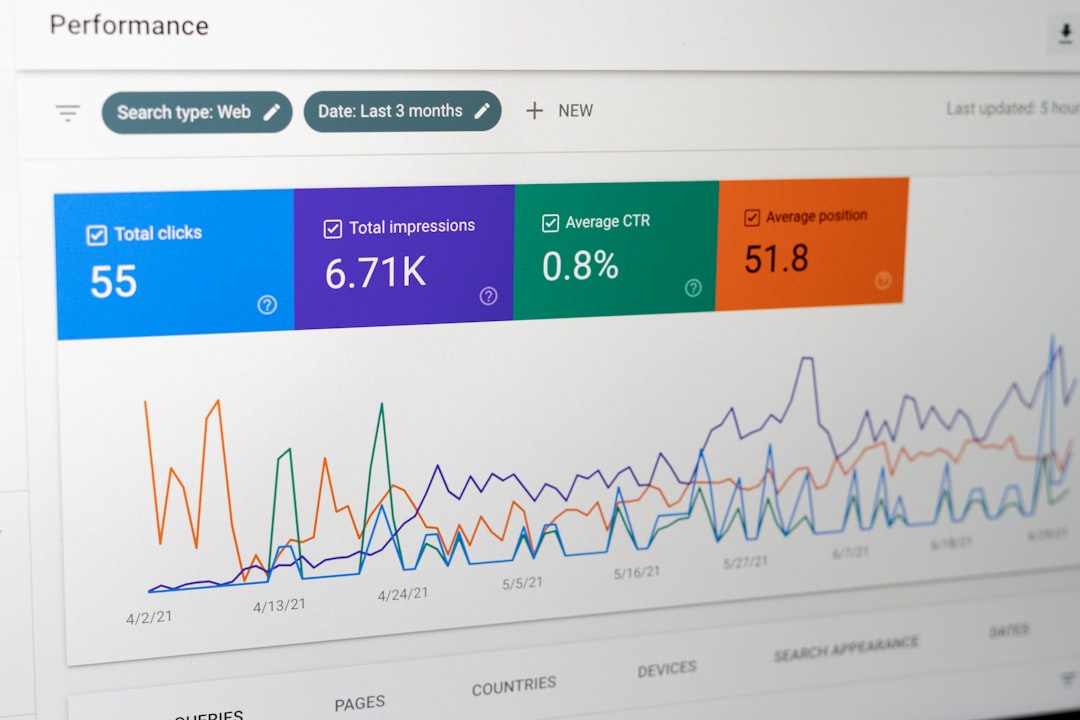
- Analytics connections.
- Online store options.
- Booking tools.
- Email signup forms.
Instead of connecting many separate systems, you can manage more from one dashboard. This is helpful for small teams. It is also helpful for people who do not want ten browser tabs open forever.
Less tool juggling means more time for the real work. Like serving customers. Writing content. Making products. Or finally drinking coffee while it is still hot.
They Help Small Businesses Move Fast
Small businesses need speed. A new service may launch next week. A sale may start tomorrow. A menu may change today.
Visual editor CMS solutions help small businesses respond quickly. Owners can update pages without waiting for a long development cycle. A landing page can be created for a campaign. A new product section can be added. A seasonal message can go live fast.
This speed can make a real difference.
If a local fitness coach wants to promote a winter program, they can build a page quickly. If a bakery wants to show a new cake collection, they can upload photos and add prices. If a consultant wants to share a case study, they can create a polished page without starting from zero.
The website becomes a living business tool. Not a dusty digital brochure.
Creators Can Focus on Ideas
Writers, artists, podcasters, teachers, musicians, and creators need websites too. But many do not want to spend their best creative hours fighting layout problems.
Visual editors let creators focus on the message. They can publish a new article. Add a video. Create a gallery. Sell a download. Promote an event.
The tool handles much of the structure. The creator brings the spark.
That is the real beauty here. Technology gets out of the way. The person can make something and share it.
Are Visual Editors Perfect?
No tool is perfect. Visual editor CMS solutions are great, but they still need care.
Too much freedom can lead to messy pages. Too many animations can slow a site down. Huge images can hurt loading speed. Poor content can still confuse visitors.
So yes, you still need good judgment.
Here are a few simple tips:
- Keep pages clean.
- Use clear headlines.
- Choose readable fonts.
- Compress large images.
- Make buttons easy to find.
- Check your site on a phone.
- Update old content often.
A visual editor makes building easier. It does not replace thinking. The spoon helps you eat soup. It does not cook the soup.
The Future Looks Even Easier
Website creation will keep getting simpler. Visual editors are becoming smarter. Many now suggest layouts, help with content blocks, improve images, and guide users through design choices.
In the future, making a website may feel even more like having a friendly assistant beside you. You will describe what you need. The system will help build it. Then you will adjust the details.
But the goal will stay the same. Help people share ideas, sell products, teach lessons, grow communities, and tell stories online.
Final Thoughts
Visual editor CMS solutions are simplifying website creation in a big way. They remove many technical barriers. They make design more approachable. They help people update content faster. They make websites easier to understand, manage, and improve.
Most of all, they give more people the power to create online.
You no longer need to be a coding genius to build a useful website. You need a clear goal, some good content, and a tool that lets you see what you are making.
So go ahead. Drag the button. Drop the image. Change the headline. Publish the page.
Your website is no longer a spaceship in the garage. It is more like a box of building blocks. And yes, you get to play.