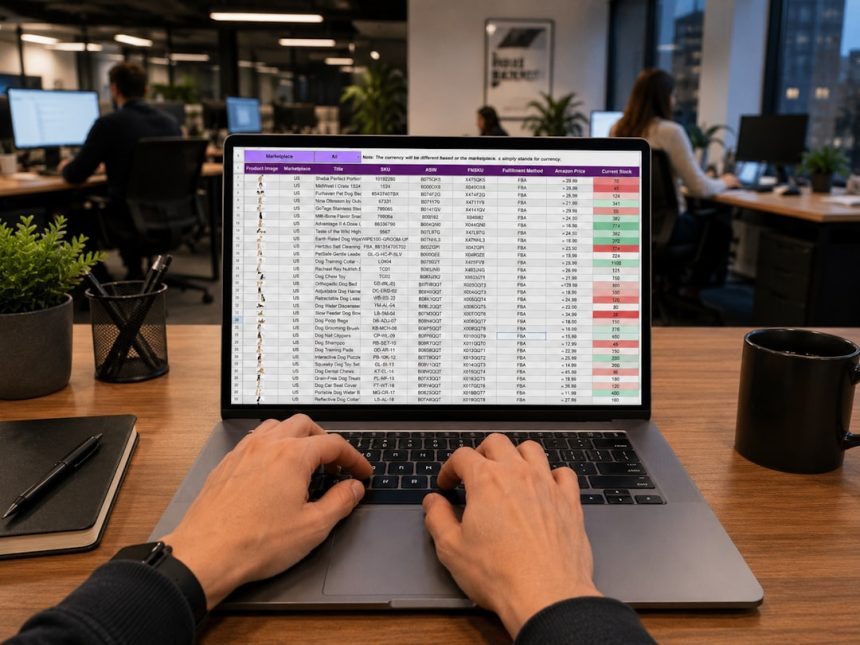
AI process mapping identifies workflow bottlenecks by comparing how work is supposed to move with how it actually moves. It studies timestamps, task owners, system logs, approvals, rework loops, and waiting time. Then it turns that messy trail into a clear process map, showing where work slows, stalls, or circles back for no good reason.
TLDR: AI process mapping helps teams spot delays by using real workflow data instead of guesses. For example, a finance team may find that 42% of invoices sit in approval for more than 48 hours, even though the review itself takes only six minutes. Once that delay is visible, managers can adjust approval rules, add alerts, or remove duplicate checks. The result is often faster cycle time, fewer missed deadlines, and less finger-pointing.
What AI Process Mapping Actually Does
Traditional process mapping often depends on workshops, sticky notes, and interviews. Those methods can help, but they rely on memory. People forget exceptions. They also describe the process they think they follow, not the one that happens at 4:57 p.m. on a Friday.
AI process mapping uses data from tools such as ERP systems, CRM platforms, help desks, project management apps, email workflows, and document systems. It reads each step as an event. A task was created. A file was opened. An approval was sent. A case was reassigned. A ticket was reopened.
The AI then connects these events into a visual flow. It can show the standard path, rare paths, skipped steps, repeat loops, and delays between actions. This gives operations teams a grounded view of the workflow.
Why Bottlenecks Hide in Plain Sight
Bottlenecks are not always dramatic. Sometimes they look like normal work. A manager reviews requests once per day. A specialist handles every exception. A system waits for a manual field entry before it can trigger the next task.
These small delays stack up. A five-minute review can create a two-day pause if it waits in a queue. A task that takes 90 seconds can become a blocker if only one person has access to complete it.
It drives managers crazy when a report says the task itself took only eight minutes, while the customer waited three days. AI process mapping separates active work time from waiting time. That distinction matters. Most workflow delays come from idle time, not actual effort.
Step 1: Define the Workflow and the Business Goal
Before data is pulled, the team needs a clear target. The goal should not be vague, such as “make the process better.” A useful goal is measurable.
- Reduce invoice approval time from five days to two days.
- Cut customer onboarding delays by 30%.
- Lower ticket reassignment rates from 22% to 10%.
- Reduce order exceptions by 15% in one quarter.
A narrow scope works best at the start. One process, one outcome, and one data set are enough for the first mapping project. Large rollouts often fail because the team tries to map everything at once.
Step 2: Collect Event Data From Work Systems
AI process mapping depends on event data. Each event should include at least a case ID, activity name, timestamp, and user or system owner. Better data may also include status, location, customer segment, cost center, priority, and outcome.
Common sources include:
- CRM activities and customer status changes
- ERP purchase orders, invoices, and shipment records
- Help desk tickets and service requests
- Project tasks and approval records
- HR onboarding steps and document checks
- Manufacturing quality checks and exception logs
Data quality does not need to be perfect, but timestamps must be reliable. If timestamps are missing or overwritten, the map may show a distorted flow. Teams should clean duplicates, align naming conventions, and remove test records before analysis.
Step 3: Generate the Actual Process Map
Once the data is ready, the AI groups related events into cases. For example, one invoice, one support ticket, one order, or one job application can become a case. The system then builds a map that shows each path taken from start to finish.
The team should compare this map with the official process document. Gaps often appear fast. Approvals may happen out of order. Cases may skip quality checks. Tickets may bounce between teams before reaching the right owner.
The best maps show frequency and timing together. A rare step may not matter. A common step with long waiting time usually deserves attention.
Step 4: Identify Bottleneck Signals
AI can flag many warning signs. The team should focus on patterns that affect speed, cost, or customer experience.
- Long queue time: Work waits before anyone starts it.
- High handoff count: A case moves through too many people or teams.
- Rework loops: Tasks return to earlier steps for correction.
- Approval pileups: Items wait for one role or person.
- Exception clusters: Similar cases keep breaking the standard path.
- System pauses: Automation stops until manual input appears.
AI helps rank these issues by impact. A delay that affects 2% of cases may not be urgent. A delay that affects 55% of cases and adds 19 hours to cycle time should move to the top of the list.
Step 5: Validate the Findings With the People Doing the Work
AI can show where a slowdown happens, but people often explain why. A claims processor may reveal that a required field is unclear. A sales operations analyst may explain that deals stall because pricing exceptions need legal review. A warehouse lead may point out that the scanner adds 14 seconds per item after a software update. Small irritations can become large delays at scale.
The validation session should be short and direct. The team needs to ask:
- Does this bottleneck match daily experience?
- What causes the wait?
- Which delays are policy issues?
- Which delays are tool issues?
- Which delays come from unclear ownership?
This step prevents bad fixes. Hiring more staff will not solve a delay caused by duplicate approvals. Better routing will not fix a broken form rule.
Step 6: Choose Fixes That Match the Bottleneck
The right solution depends on the cause. AI process mapping gives evidence, but the improvement plan still needs judgment.
- For approval delays: Add threshold-based approvals, backup approvers, or auto-approval for low-risk cases.
- For rework loops: Improve input forms, add validation rules, or clarify submission requirements.
- For handoff overload: Merge steps, assign clearer ownership, or route work by skill.
- For queue buildup: balance workloads, adjust staffing windows, or trigger alerts when aging limits are crossed.
- For system pauses: fix integrations, remove manual copy-paste work, or automate status updates.
Teams should avoid fixing too many issues at once. Two or three changes are easier to measure. After each change, the same AI process map can show whether cycle time improved.
Step 7: Monitor Results and Prevent Bottlenecks From Returning
Workflow bottlenecks often return when demand shifts, staff changes, or policies expand. That is why process mapping should not be a one-time exercise. Dashboards can track cycle time, queue time, rework rate, workload by role, and exception volume.
A useful review rhythm might include:
- Weekly checks for urgent operational queues
- Monthly reviews for customer-facing processes
- Quarterly audits for compliance-heavy workflows
For example, after automating low-risk invoice approvals, a company may see average approval time fall from 4.8 days to 1.9 days. If the rate creeps back to 3.2 days, the map can show whether volume increased, approvers changed, or exceptions rose.
Common Mistakes to Avoid
- Mapping too broad a process: Huge maps become hard to act on.
- Ignoring frontline feedback: Data needs context from real users.
- Tracking only averages: Median, outliers, and percentiles reveal more.
- Blaming people first: Many bottlenecks come from rules, queues, and tools.
- Skipping follow-up: A fixed process can break again under new demand.
FAQ
What is AI process mapping?
AI process mapping is the use of machine learning and event data to create a visual model of how work moves through a process. It shows real paths, delays, handoffs, loops, and exceptions.
How does it find workflow bottlenecks?
It compares timestamps across each step. If work spends long periods waiting, repeating, or moving between teams, the AI flags that pattern as a possible bottleneck.
What data is needed?
Most projects need a case ID, activity name, timestamp, and owner. Extra fields such as status, priority, department, and outcome can improve the analysis.
Can small teams use AI process mapping?
Yes. Small teams can start with one workflow, such as support tickets, purchase approvals, or onboarding tasks. The first map does not need to cover the entire business.
How often should process maps be reviewed?
High-volume workflows should be reviewed weekly or monthly. Slower internal processes may only need a quarterly review, unless service levels start slipping.