

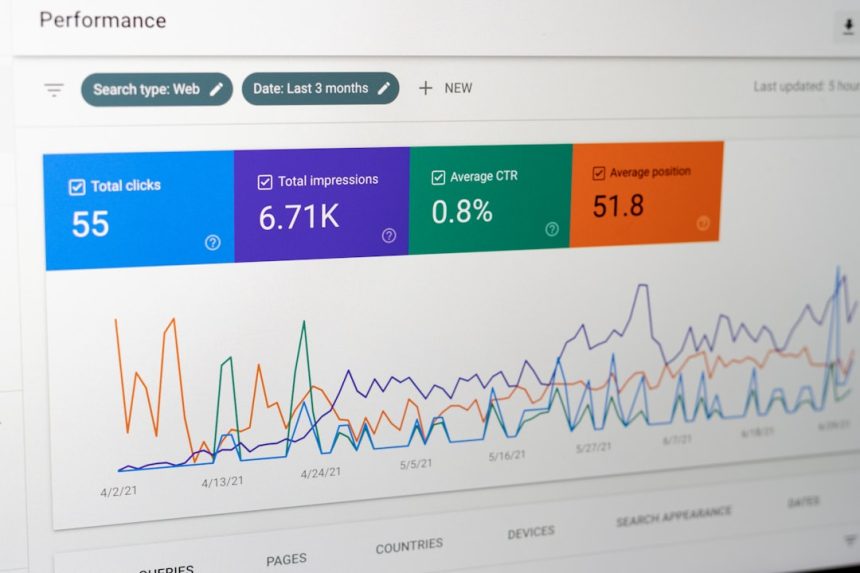
The fastest way to improve First Contentful Paint in WordPress is to reduce server response time, remove render blocking files, and make the first screen lighter. FCP measures how quickly a visitor sees the first text, image, logo, or background element on a page. If that moment takes too long, the site feels broken, even when the page is still loading in the background.
TLDR: A good WordPress FCP target is usually under 1.8 seconds. A slow site that cuts FCP from 3.4 seconds to 1.5 seconds can often see lower bounce rates and better engagement, especially on mobile traffic. For example, a blog with 60% mobile visitors may improve its first screen speed by enabling full page caching, delaying noncritical scripts, and optimizing fonts. The biggest wins usually come from hosting, caching, CSS, JavaScript, and above the fold images.
What First Contentful Paint Means in WordPress
First Contentful Paint, or FCP, is a Core Web Vitals related performance metric. It tracks the time between a visitor requesting a page and the browser showing the first visible piece of content.
That content may be a heading, logo, menu item, hero image, SVG, or background color. It does not mean the page is ready to use. It only means the visitor can see that something is happening.
For WordPress sites, FCP can suffer because of bloated themes, heavy page builders, too many plugins, slow hosting, large CSS files, unused JavaScript, and poorly loaded fonts. Honestly, it feels like some plugins add three scripts just to show one button. That adds up fast.

What Is a Good FCP Score?
- Good: 0 to 1.8 seconds
- Needs improvement: 1.8 to 3 seconds
- Poor: More than 3 seconds
These numbers come from Google’s performance guidance. Mobile results matter most because phones often have weaker CPUs, slower networks, and more variable signal quality.
A WordPress page that loads well on a powerful office laptop may still crawl on a mid range phone using 4G. That is why testing must include mobile simulations and real user data where possible.
How to Measure FCP
Site owners can measure First Contentful Paint with several tools:
- PageSpeed Insights: Shows lab data and field data when enough traffic exists.
- Chrome Lighthouse: Useful for quick audits during development.
- Chrome User Experience Report: Based on real visitors, when available.
- WebPageTest: Good for testing locations, devices, and connection speeds.
- GTmetrix: Helpful for waterfall charts and visual load timing.
The score can change between tests. That is normal. Caching, server load, third party scripts, and test location all affect the result. A single test is not enough. Averages show a better picture.
Start With Hosting and Server Response Time
Before tweaking every plugin setting, the site needs a decent server. FCP cannot be fast if the server takes too long to send the first HTML response.
A slow Time to First Byte often pushes FCP back. WordPress sites on crowded cheap hosting may wait one or two seconds before the browser gets enough data to render anything.
Better hosting can help by offering:
- Modern PHP versions
- Server level caching
- Fast storage
- Enough CPU and memory
- Good data center locations
- Reliable uptime during traffic spikes
Managed WordPress hosting is not always required, but underpowered hosting is a common reason FCP stays poor after every other fix.
Use Full Page Caching
Caching is one of the easiest FCP wins. WordPress normally builds pages by running PHP, querying the database, loading plugins, and sending the result. Full page caching stores the finished HTML, so repeat visitors and search bots get it faster.
Popular caching options include LiteSpeed Cache, WP Rocket, W3 Total Cache, and server based caching from the host. The best option depends on the server setup.
The catch is that caching plugins can be annoying. One wrong setting can break menus, forms, carts, or login pages. Testing after each change saves trouble.
Remove Render Blocking CSS and JavaScript
Render blocking files delay the browser from showing content. CSS and JavaScript in the page head can force the browser to pause before painting anything.
To improve FCP, WordPress teams should:
- Inline critical CSS for above the fold content.
- Defer noncritical JavaScript so it loads after the first paint.
- Delay third party scripts such as chat widgets, popups, and trackers.
- Remove unused CSS from themes, plugins, and page builders.
- Minify CSS and JS when safe.
Page builders often create large CSS files for simple layouts. This can hurt FCP badly. A homepage with five sections should not need hundreds of kilobytes of style rules before showing a headline.
Optimize Fonts for Faster First Paint
Web fonts can delay visible text. If the font file is slow, visitors may stare at blank space while the browser waits.
To improve font loading:
- Use fewer font families and weights.
- Host fonts locally when useful.
- Use font display swap so fallback text appears quickly.
- Preload the main font used above the fold.
- Remove icon fonts if only a few icons are needed.
System fonts are often the fastest choice. They may not look as custom, but they render almost instantly and reduce network requests.
Fix Above the Fold Images
The first visible image can affect FCP, especially when it is a huge hero banner. Large JPEG, PNG, or background images can slow the first paint on mobile.
Site owners should compress images and serve modern formats such as WebP or AVIF. The hero image should use the correct dimensions, not a 3000 pixel file squeezed into a small container.
Lazy loading usually helps below the fold images. But the main hero image should not be lazy loaded if it is part of the first screen. It should load early, and in some cases it should be preloaded.
Image not found in postmetaReduce Plugin Bloat
Every plugin can add CSS, scripts, database queries, or external requests. Some add them on every page, even where they are not needed.
A WordPress site should be audited often. Plugins that overlap should be removed. Old plugins should be replaced or deleted. If a plugin is only used for one tiny feature, custom code may be lighter.
Good candidates for review include:
- Sliders
- Popup tools
- Chat widgets
- Social sharing buttons
- Analytics add ons
- Page builder extensions
- Unused WooCommerce add ons
It drives people mad when a contact form plugin loads files on blog posts with no form. Asset cleanup tools can stop scripts and styles from loading where they are not needed.
Use a CDN for Global Visitors
A Content Delivery Network stores static files on servers closer to visitors. This can improve FCP for audiences spread across countries or continents.
A CDN helps with images, CSS, JavaScript, fonts, and cached HTML when configured that way. Cloudflare, Bunny CDN, and similar services can reduce distance based delay and absorb traffic spikes.
For a local business with visitors in one city, a CDN may offer a smaller gain. For an international store or publisher, it can make a clear difference.
Clean the Theme and Layout
A lightweight theme usually improves FCP more than a feature packed theme with sliders, animations, bundled fonts, and large demo styles. Simpler markup gives the browser less work before the first paint.
Above the fold content should be direct. A clear heading, short copy, key image, and primary action are enough. Hidden sliders, video backgrounds, and large animation libraries often delay the first visible content without adding much value.
FAQ
What is First Contentful Paint in WordPress?
First Contentful Paint is the time it takes for a WordPress page to show the first visible content in the browser. This may be text, an image, a logo, or another visible element.
What is a good FCP score?
A good FCP score is under 1.8 seconds. Scores between 1.8 and 3 seconds need work. Anything above 3 seconds is usually poor.
Does FCP affect SEO?
FCP is not the only ranking factor, but speed affects user experience and Core Web Vitals signals. A faster first paint can help visitors stay on the page longer.
Which WordPress plugin improves FCP the most?
No single plugin fixes every site. Caching plugins such as WP Rocket, LiteSpeed Cache, and W3 Total Cache can help, but hosting, theme quality, images, fonts, and scripts also matter.
Can too many plugins slow FCP?
Yes. Plugins can add CSS, JavaScript, database calls, and third party requests. Removing unused plugins often improves FCP and total page speed.
Should lazy loading be used for all images?
No. Images below the fold should usually be lazy loaded. The main above the fold image should load early because it can affect the first visible content.







