For most businesses, Experian is the stronger choice for dark web monitoring because it is built for identity risk, breach response, and employee exposure tracking. Google One dark web monitoring can still be useful, but it is better suited to individual Google accounts than a managed business security program. If your goal is to protect company email addresses, executive identities, employee credentials, and vendor access points, Experian gives more structure. Google’s option is simpler, cheaper in many cases, and easier for staff to understand, but it has serious limits for business use.
TLDR: Experian is better for companies that need formal monitoring, alerts, and identity protection workflows. Google One dark web monitoring is useful for basic checks tied to Google accounts, but it is not a full business risk tool. For example, a 40 person company might find 12 exposed employee emails in old breach records; Experian is better for tracking and response, while Google may only help each user see limited personal exposure. If you need reporting for leadership, HR, or IT, choose Experian or a business security platform.
What dark web monitoring actually does for a business
Dark web monitoring scans criminal forums, paste sites, breach collections, bot logs, and credential dumps for data linked to your organization. That may include work email addresses, passwords, phone numbers, employee names, Social Security numbers, business tax data, bank details, and executive personal information.
The goal is not to “remove” data from the dark web. That is rarely realistic. The goal is to detect exposure early and act fast. Actions may include password resets, forced multi factor authentication, account reviews, employee alerts, fraud monitoring, and incident documentation.
Experian dark web monitoring: stronger for formal business risk
Experian is best known for credit reporting and identity protection. Its dark web monitoring services are often tied to identity monitoring, fraud alerts, breach response, and employee protection packages. That matters because stolen business credentials often create personal risk too. A finance manager’s exposed password can lead to payroll fraud. A founder’s leaked home address can lead to targeted scams.
Key strengths of Experian for business use:
- Broader identity signals: Experian may monitor more than email addresses, including personal identity data and financial identifiers depending on the plan.
- Employee protection options: Businesses can offer monitoring to staff after a breach or as part of executive risk programs.
- Credit and fraud focus: This is useful when leaked data includes personally identifiable information, not just passwords.
- More serious reporting: Experian is better suited for compliance teams, HR, legal departments, and incident response planning.
- Support for breach response: Some Experian services are built around helping organizations respond when data has already been exposed.
The catch is that Experian can feel heavier than a simple alert tool. Pricing is often quote based, plan details can vary, and setup may require more discussion than a small business expects. Expect to spend time clarifying exactly what is monitored, how alerts are delivered, and whether coverage applies to employees, executives, customers, or all three.
Google One dark web monitoring: simple, but not truly business grade
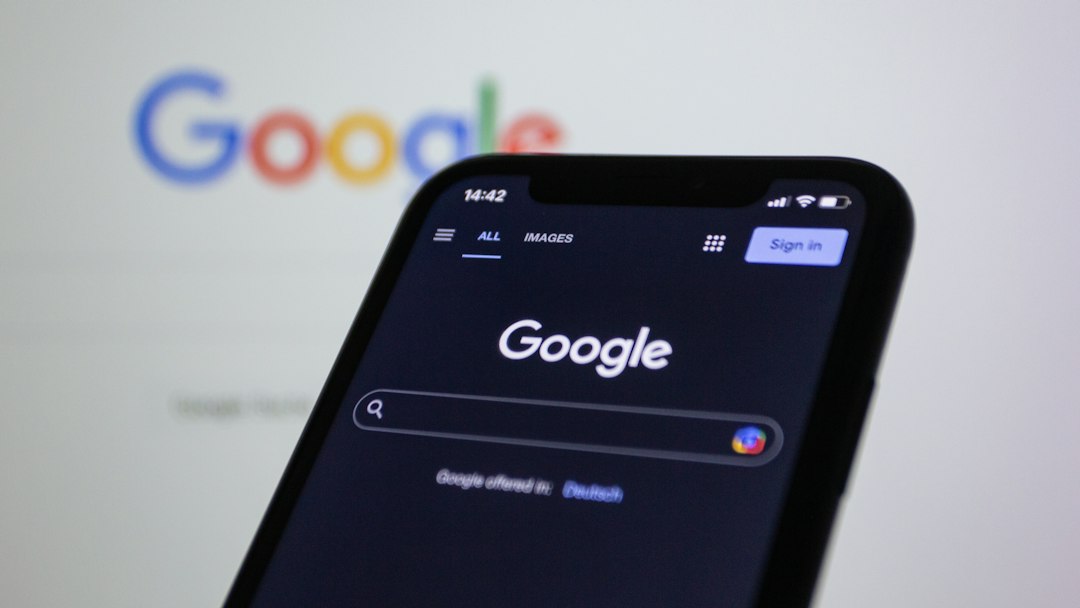
Google’s dark web monitoring, often referred to through Google One or Google account security features, is appealing because it is easy to use. Many users already trust Google. Alerts are clear. The setup is quick. For a sole proprietor or small team that relies heavily on Gmail, this can be a helpful first layer.
Still, calling it Google One for Business dark web monitoring can be misleading. Google One has mainly been a consumer subscription service, not a managed enterprise security product. Google Workspace has its own admin and security tools, but Google One dark web reports are not the same thing as a company wide dark web monitoring program.
Key strengths of Google’s approach:
- Easy setup: Users can check exposure linked to their Google account without complex onboarding.
- Clear alerts: Google explains what type of data may have appeared in a breach.
- Useful for Gmail users: It can help individuals spot exposed email addresses, phone numbers, or related personal details.
- Low friction: Small teams can start checking risk without a formal security project.
Honestly, it feels like Google’s tool stops right when a business wants control. An owner may see that their email was exposed, but an IT manager may not get a clean company wide view of all staff exposure. That creates a messy process. Someone has to ask employees to check their own accounts, send screenshots, and report back. That is not serious incident management.
Experian vs Google One: direct comparison
| Category | Experian | Google One or Google account monitoring |
|---|---|---|
| Best fit | Businesses, executives, breach response, employee identity protection | Individuals, freelancers, very small teams, Gmail users |
| Monitoring depth | Can include identity, credit, financial, and dark web data depending on plan | Usually focused on data tied to a Google account profile |
| Admin control | Better suited to managed programs | Limited for centralized business oversight |
| Response support | Stronger breach and fraud response options | Basic user guidance |
| Ease of use | More setup, more formal | Very simple for individual users |
Which one should your business choose?
Choose Experian if your company handles sensitive data, has employees with access to financial systems, stores customer records, or needs proof that it took reasonable steps after a breach. It is also the better fit for law firms, medical offices, accounting firms, real estate agencies, ecommerce companies, and firms with high profile executives.
Choose Google’s dark web monitoring if you are a freelancer, startup founder, or very small team that wants a quick check for exposed Google account data. It can be a useful early warning tool. It should not be your only protection if employees use shared systems, payroll tools, CRM software, cloud storage, or admin panels.
A practical example helps. Say a 25 person marketing agency discovers that 9 employee email addresses appear in old breach dumps. With Google, each employee may need to check their own account and change passwords. With Experian or a similar business focused service, the firm can document the issue, assign remediation, monitor identity risk, and protect staff whose personal data may also be exposed.
What to check before buying
Before choosing either option, ask direct questions. Do not accept vague claims like “we scan the dark web.” That phrase can mean very little without detail.
- What data is monitored? Emails only, or also names, phone numbers, tax IDs, bank data, and identity records?
- Who receives alerts? Individual users, admins, HR, legal, or security staff?
- Can you monitor work domains? For example, every address ending in your company domain.
- Is there remediation tracking? Alerts are not enough if no one confirms action.
- Does it support multi factor enforcement? Password exposure is much less damaging when MFA is active.
- Can reports be exported? This matters for audits, insurance, and internal reviews.

Final recommendation
Experian is the safer choice for businesses that need accountability, identity coverage, and breach response support. Google’s dark web monitoring is a helpful personal security feature, but it is not a full replacement for managed business monitoring. Use Google for quick individual checks. Use Experian when exposed data could affect employees, customers, finances, or your company’s legal position.
The best setup is often layered. Use a password manager, require multi factor authentication, disable reused passwords, train employees on phishing, and monitor exposed credentials. Dark web monitoring is not magic. It is an alarm system. The value comes from how fast your business reacts when that alarm rings.