
Obsidian has earned a loyal following among note-takers, researchers, and knowledge workers for its powerful backlinking, markdown support, and Personal Knowledge Management (PKM) capabilities. However, it’s not the perfect fit for everyone. Some users find it overwhelming, others want built-in collaboration, and many simply prefer a more budget-friendly or free alternative without sacrificing core features. If you’re looking to build a “second brain” without committing to Obsidian, there are excellent, cheaper options worth exploring.
TLDR: Obsidian is powerful, but several cheaper (and even free) tools offer similar note-taking and PKM features. Options like Logseq, Notion, Joplin, Amplenote, and Zettlr provide backlinks, markdown support, syncing, and task management at little to no cost. The best alternative depends on whether you prioritize privacy, collaboration, simplicity, or advanced knowledge graph features. You don’t have to spend much to build a highly functional PKM system.
Why Look for a Cheaper Alternative?
While Obsidian’s base app is free, many advanced users eventually pay for add-ons such as:
- Obsidian Sync for encrypted multi-device syncing
- Obsidian Publish for sharing notes publicly
- Third-party plugins with premium tiers
For students, freelancers, or hobbyists, these additional costs can add up. Others may prefer software that:
- Includes built-in cloud sync
- Offers real-time collaboration
- Works smoothly without plugin configuration
- Has a simpler learning curve
Fortunately, the note-taking landscape is rich with alternatives that cost less — or nothing at all.
Key Features to Look for in PKM Tools
Before choosing an alternative, it helps to understand what makes Obsidian so appealing. Look for these features if you want a similar experience:
- Backlinking and bidirectional links
- Markdown support
- Graph view or visual knowledge mapping
- Offline access
- Cross-platform sync
- Tagging and search functionality
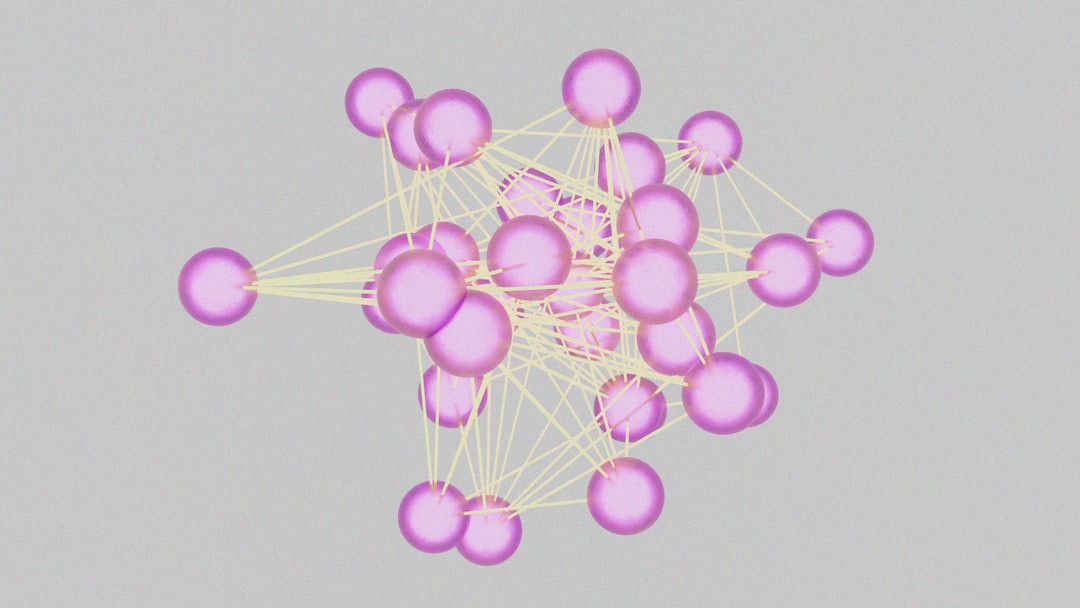
Not every tool offers all of these features, but many come surprisingly close at a fraction of the cost.
1. Logseq (Free and Open-Source)
Best for: Users who want Obsidian-like power with more structure.
Logseq is often considered Obsidian’s closest competitor — and it’s completely free and open-source. It uses markdown files stored locally, supports backlinks, and provides an intuitive graph view.
What makes Logseq stand out?
- Built-in outliner-based structure
- Native journaling system
- Powerful task management
- Active open-source community
Unlike Obsidian’s traditional document approach, Logseq uses a block-based outliner, which many users find more flexible for thinking and brainstorming.
Cost: Free (self-hosted sync options available)
If you don’t want to pay for Obsidian Sync, you can use third-party cloud services like Dropbox or Syncthing.
2. Notion (Freemium, Generous Free Plan)
Best for: Collaboration and all-in-one workspace organization.
Notion offers a different philosophy. It’s less markdown-focused and more structured around databases and pages. However, it can absolutely function as a PKM system.
- Real-time collaboration
- Built-in cloud sync
- Powerful databases and templates
- Web-based access from any device
Notion lacks a native graph view like Obsidian, but creative users replicate PKM structures using relational databases and backlinks.
Cost: Free for personal use; affordable paid tiers for teams

If collaboration matters more than markdown purity, Notion can be a cheaper and more convenient alternative.
3. Joplin (Free and Privacy-Focused)
Best for: Privacy-conscious users who prefer simplicity.
Joplin is an open-source note-taking app with markdown support and strong encryption options. While it lacks Obsidian’s advanced graph visualization and plugin ecosystem, it excels in reliability and privacy.
- End-to-end encryption
- Markdown support
- Web clipper included
- Cloud sync via multiple providers
Joplin feels more straightforward and less experimental than Obsidian, making it ideal if you want robust note storage without an elaborate knowledge graph.
Cost: Free (optional paid Joplin Cloud plans)
4. Amplenote (Freemium with Task Focus)
Best for: Combining notes with productivity and tasks.
Amplenote blends note-taking, task management, and scheduling into one platform. It supports linking between notes and uses markdown formatting, though it leans more toward productivity workflows than deep PKM visualization.
- Integrated task calendar
- Note linking
- Flexible organization system
- Built-in sync
If you find Obsidian requires too many plugins for task tracking, Amplenote offers a more integrated experience.
Cost: Free basic plan; reasonably priced premium tiers
5. Zettlr (Free Academic Favorite)
Best for: Researchers and long-form writers.
Zettlr is a markdown-based, open-source tool designed for academics and researchers. Inspired by the Zettelkasten method, it supports citation management and structured writing projects.
- Citation and bibliography tools
- Markdown file storage
- Lightweight interface
- Strong writing focus

While it doesn’t emphasize graph views as strongly as Obsidian, it’s excellent for structured thinking and publishing workflows.
Cost: Completely free
Comparison Chart
| Tool | Free Plan | Backlinks | Graph View | Collaboration | Offline Access | Best For |
|---|---|---|---|---|---|---|
| Logseq | Yes (Fully Free) | Yes | Yes | Limited | Yes | Advanced PKM users |
| Notion | Yes | Limited | No | Excellent | Partial | Teams and collaboration |
| Joplin | Yes | Basic | No | No | Yes | Privacy-focused users |
| Amplenote | Yes | Yes | No | Limited | Yes | Task-oriented workflows |
| Zettlr | Yes (Fully Free) | Yes | Limited | No | Yes | Researchers and writers |
Choosing the Right Alternative
Here’s a quick decision guide:
- If you want something closest to Obsidian: choose Logseq.
- If you need team collaboration: go with Notion.
- If privacy and security are your priorities: pick Joplin.
- If you blend tasks and notes: try Amplenote.
- If you’re doing academic or long-form writing: use Zettlr.
The “best” choice ultimately depends on your workflow rather than feature count.
Final Thoughts
Obsidian is undeniably powerful, but it’s not the only way to build a sophisticated PKM system. In fact, many users discover that they only need a fraction of its advanced customization options.
Cheaper alternatives like Logseq and Zettlr prove that open-source tools can deliver serious functionality. Meanwhile, platforms like Notion and Amplenote show that integrated cloud experiences can simplify organization without endless plugin tweaking.
The good news? You can experiment with nearly all these tools for free. Building a personal knowledge system is less about the software itself and more about consistency, structure, and your willingness to refine your workflow over time.
A powerful second brain doesn’t have to come with a premium price tag.