


Creating realistic photo images using ChatGPT’s image generation companion tools requires more than simply describing what you’d like to see. The key to success lies in crafting precise, well-structured prompts that capture photographic realism in every detail. Whether you’re looking to generate stunning landscapes or lifelike portraits, following a set of best practices will lead to more compelling and visually accurate AI-generated images.
The Importance of Specificity in Prompts
One of the most crucial aspects of generating realistic photo images is specificity. Vague prompts such as “a beach scene” might yield an image, but it likely won’t look photorealistic or match your expectations. Instead, adding clear details can significantly improve results.
For example, a prompt like “a photo of a woman walking on a sandy beach at sunset, waves gently crashing, wearing a red flowy dress, with palm trees in the background” provides the model with much more context and stylistic guidance.

This technique signals the desired light condition (sunset), elements of motion (“gently crashing waves”), specific clothing and colors, and even the key photo composition elements. When ChatGPT or its associated image tools interpret this kind of prompt, the output is far more likely to resemble a realistic photo.
Use Technical Photography Terms
Photographic realism can also be elevated by including technical terms from the field of photography. These terms help guide the style, perspective, lighting, and quality of the image produced.
Key photography-related terms to consider including in prompts:
- Lighting: golden hour, studio lighting, soft shadows, backlit, natural light
- Camera Angles: close-up, wide-angle, overhead shot, low angle
- Lens Type: 35mm lens, macro lens, fisheye lens
- Depth of Field: shallow depth, blurred background, bokeh effect
A prompt like “portrait of an elderly man in natural light, shallow depth of field, bokeh lights in the background, 50mm lens” cues the AI tool to mimic professional photography setups, enhancing the realism of the image generated.
Leverage Style Modifiers
Another best practice is to include style modifiers that describe the type of aesthetics you’re aiming for. Whether you want an editorial fashion shoot, candid street photography, or a documentary-style image, naming the style helps narrow the creative direction.
Here are examples of style-related modifiers to try:
- Editorial style
- Vintage look
- Polaroid photo
- High-resolution magazine cover
- National Geographic style
A more polished result often comes from adding both content and style models into the prompt, like “editorial-style photo of a fashion model on a rooftop garden at sunset, wearing a flowing gown, dramatic lighting.”
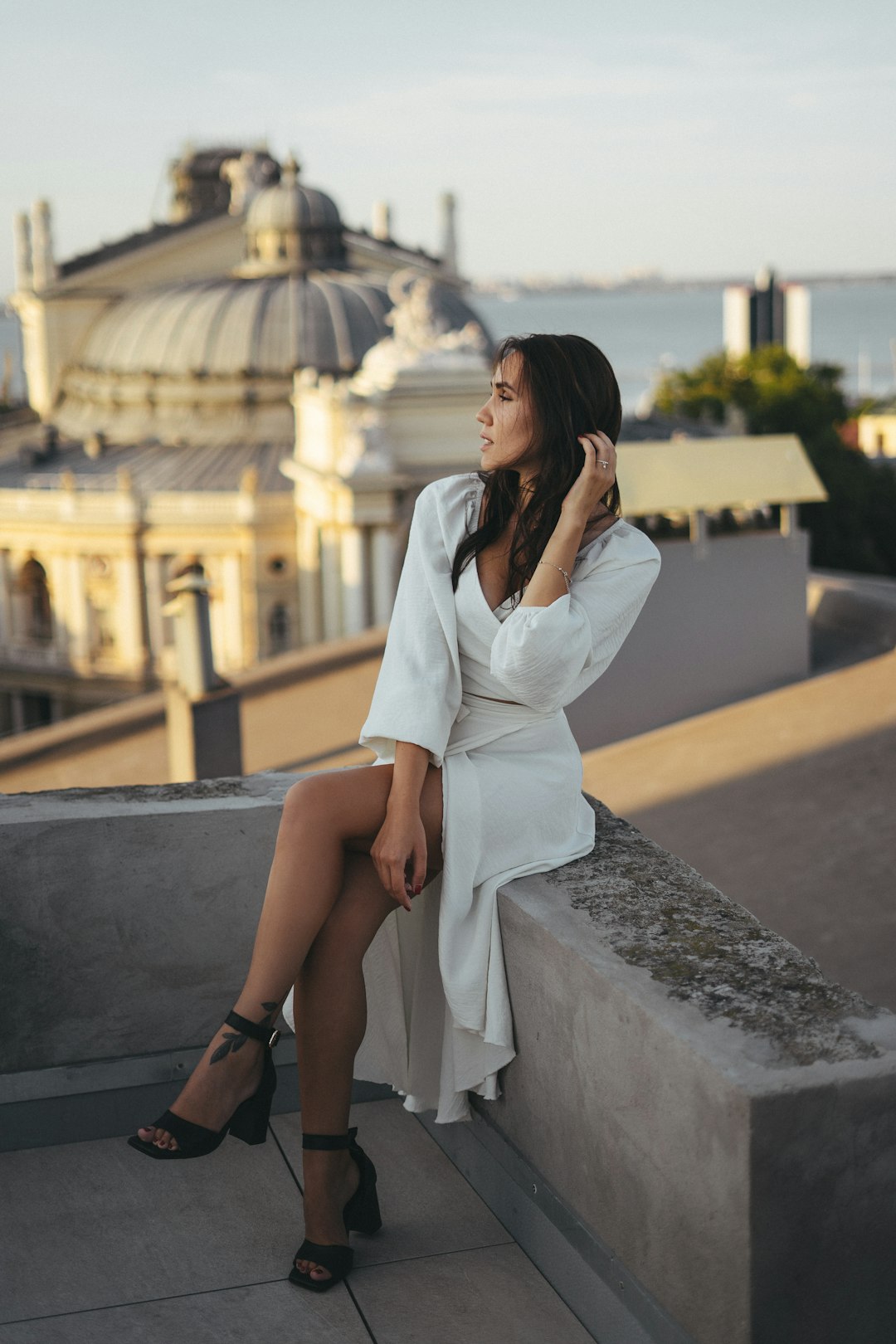
Include Environment and Mood
Beyond physical subjects, including descriptions of the environment and mood of the image can shape how natural and immersive the result feels. Mood descriptors like “serene,” “mysterious,” or “joyful” add an emotional context to the scene.
When combined with environmental features—such as weather, time of day, or cultural setting—you get a richer, more vivid representation. For example, “a misty forest at sunrise with warm light filtering through the trees” delivers a distinct visual tone.
Top Tips for Crafting Effective Prompts
- Be Detailed: The more specific and nuanced the prompt, the better the image.
- Avoid Contradictions: Keep instructions cohesive and logically consistent.
- Think Like a Photographer: Visualize angles, lighting, and subjects before writing.
- Revise and Iterate: Don’t be afraid to test a few variations of your prompt.
Realistic photo images need well-constructed prompts that weave together visual, technical, and stylistic elements. Mastering this prompt-writing skill can unlock a wide range of image-generation possibilities with near-photo accuracy.
Frequently Asked Questions (FAQs)
- Q: Can ChatGPT generate photo images directly?
A: No, ChatGPT generates text prompts. It often works with image-generating tools like DALL·E or Midjourney, which create the images based on the prompts. - Q: What’s the best way to describe people in prompts?
A: Mention age, gender, clothing, facial expression, ethnicity, and visible actions to capture lifelike characteristics accurately. - Q: Are references to specific photography equipment helpful?
A: Yes, citing lenses, lighting setups, or camera types helps guide the AI toward photorealistic results with real-world textures and tones. - Q: How can I prompt for specific emotions or vibes?
A: Use descriptive words that define the emotional tone or setting, such as “melancholy urban night,” “romantic countryside view,” or “energetic street parade.” - Q: What if my image doesn’t come out as expected?
A: Try revising the prompt to be clearer or adjust elements like lighting, angle, or context to better match your intended vision.







