Getting your message out to the world has never been easier. Whether you’re hosting a live event, training session, or product launch, webcasting lets you share it all. But with so many options, how do you choose the best one?
TLDR:
Webcasting is a powerful way to reach people online. We’ve rounded up the best webcasting solutions that are easy to use, reliable, and packed with features. Whether you’re a beginner or a pro, there’s a solution here for you. Let’s dive in and find the perfect one for your needs.
What is Webcasting, Anyway?
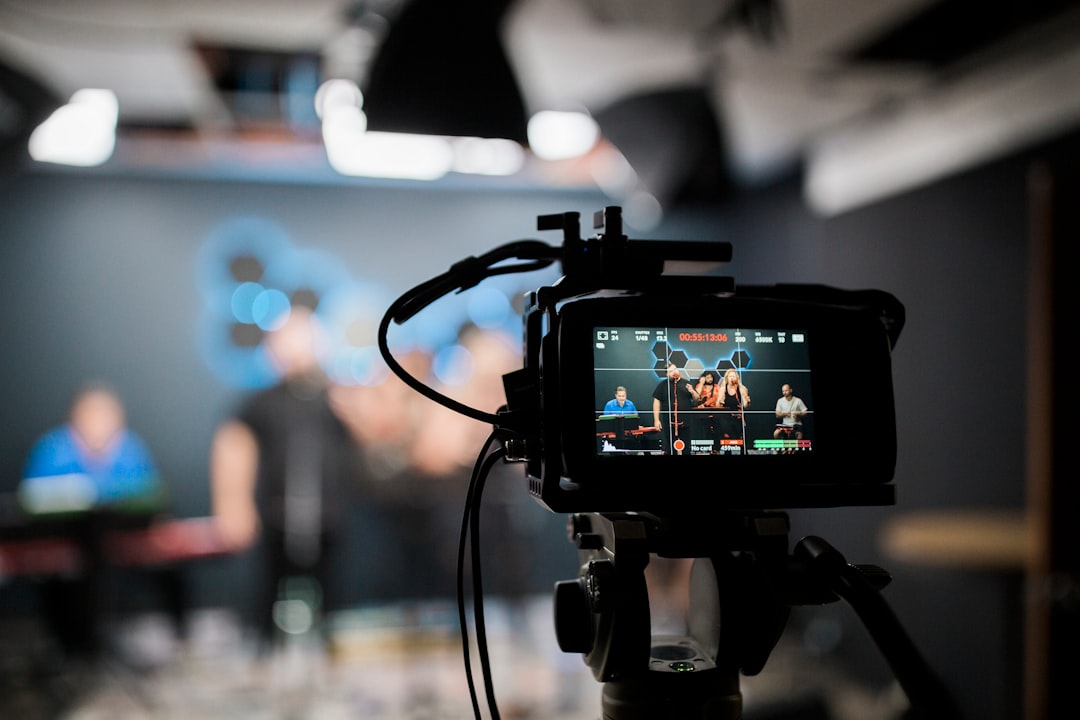
Think of webcasting like live television—but on the internet. It lets you broadcast video and audio in real time to people all over the world. No satellite trucks needed!
Perfect for:
- Virtual events
- Live training and webinars
- Product demos
- Company announcements
- Online conferences
Now that you know what it is, let’s find the best tools to make your webcast shine.
1. Vimeo Livestream
Best for: High-quality and branded events
Vimeo Livestream is a pro-level platform made for sleek, professional broadcasts. It’s perfect for businesses that want to look polished while staying online.
Why users love it:
- High-quality HD streaming
- Easy website embedding
- Custom branding and logos
- Real-time analytics
- Unlimited viewers (if you choose the right plan)
Heads up: Plans can be a bit pricey if you’re just starting out. But for those who need full control, it’s totally worth it.
2. Zoom Video Webinars
Best for: Interactive events and remote teams
Zoom isn’t just for meetings—it’s also great for webcasting with its dedicated webinar feature. This one’s perfect for schools, trainers, and businesses who want engagement.
What makes it awesome?
- Easy to set up
- Built-in polls and Q&A features
- Up to 50,000 attendees (yes, you read that right!)
- Broadcast live to Facebook or YouTube
It feels less like a TV broadcast and more like a huge Zoom meeting. But that’s what makes it simple and approachable.
3. Microsoft Teams Live Events
Best for: Internal corporate communication
Already using Microsoft Teams for work? Then this one’s a no-brainer. Live Events is built on top of Teams to let you stream to big audiences inside your organization.
Perks include:
- Easy integration with Office 365
- Great for security and team-only events
- Supports up to 20,000 concurrent viewers
- Automatic recording and playback
It’s not as flashy as some others, but it checks all the crucial boxes for productivity-focused teams.
4. ON24
Best for: Lead generation and B2B marketing
ON24 is built for marketing pros. If you’re looking to capture leads while streaming valuable content, this might become your best friend.
Why it rocks:
- Use custom landing pages
- Detailed audience analytics
- Click-to-contact options for viewers
- Interactive features like surveys and polls
With ON24, your webcast isn’t just a show—it’s a full marketing engine.
5. YouTube Live
Best for: Reaching the widest audience (for free!)
Who doesn’t know YouTube? Their live feature lets you go live with almost no learning curve. It’s super accessible and works across devices.
Best parts:
- Totally free (with a Google account)
- Massive reach potential
- Comment interaction in real-time
- Embedding on websites and social media
The downside? You can’t control the platform like others. Still, for most people, it gets the job done beautifully.
6. Restream
Best for: Multi-platform streaming
Want to stream to YouTube, Facebook, and LinkedIn—all at the same time? Say hello to Restream! This tool lets you go live on 30+ platforms at once. Yes, really.
Why it’s a favorite:
- Broadcast everywhere from one place
- Solo or group streaming
- Live chat management across all services
- Easy scheduling
If your goal is maximum reach, this service is a dream come true.
7. StreamYard
Best for: Beginners who want quality and ease
StreamYard is a browser-based platform that makes pro-level streaming super easy. You don’t need to download anything. Just open a browser and go live!
Cool features:
- Invite guests with one link
- Add banners, logos, and tickers
- Stream to multiple destinations
- Great for interviews or talk shows
There’s a free version with limitations, but upgrading unlocks loads of goodies.
8. Webex Events (formerly Socio)
Best for: High-end virtual events and conferences
Cisco’s Webex platform offers a full event solution, and it’s super polished. This is ideal for events with lots of guests, booths, speakers, and even networking areas.
Standout features:
- High-attendee capacities
- Agenda and speaker management
- Interactive breakout sessions
- Great for hybrid events too!
This is one of the pricier solutions, but great if you’re running large festivals or formal conferences.
How Do You Choose the Best One?
There’s no one-size-fits-all solution. But to figure out the best tool for you, ask yourself these questions:
- How big is your audience?
- Do you want interaction like Q&As and chat?
- Do you need analytics or lead capture?
- What’s your budget?
- Are you streaming to your own team, or the public?
Final Thoughts
Webcasting doesn’t have to be scary or expensive. Whether you’re using YouTube Live for casual shows or ON24 for marketing magic, there’s an option that will work for you.
Just start small, click that “Go Live” button, and don’t worry about being perfect. The most important thing is showing up and sharing your story.
Now go get streaming!