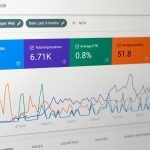
Stats.fm is the best choice for deep Spotify-only tracking, Stats for Spotify is best for quick free checks, and Last.fm is best if you want a long-term music diary across more than Spotify. Spotify reported 640 million monthly active users in Q3 2024, so interest in personal listening data is not a niche hobby anymore [source: Spotify]. The right app depends on how much detail you want, how much setup you can tolerate, and whether you care about music played outside Spotify.
TLDR: Use Stats.fm if you want the most detailed Spotify stats, including minutes streamed, lifetime rankings, and listening patterns after importing your Spotify data. Use Stats for Spotify if you only need fast top artists and tracks for the last 4 weeks, 6 months, or all time. Use Last.fm if you want to track listening across Spotify, Apple Music, YouTube Music, local files, and more. For example, if you played 2,400 tracks in a month and want to know your top 1%, skip the basic tools and use Stats.fm or Last.fm.

Quick verdict
- Best overall for Spotify users: Stats.fm
- Best free and simple option: Stats for Spotify
- Best for long-term tracking: Last.fm
- Best for casual users: Stats for Spotify
- Best for data nerds: Stats.fm
Stats.fm: the strongest Spotify stats app
Stats.fm, formerly known as Spotistats, is the most complete app here if your focus is Spotify. It shows top songs, artists, albums, genres, minutes streamed, recent plays, and listening history. The app also lets you import your full Spotify streaming history, which is where it gets much more useful.
Without importing data, you mostly get recent Spotify activity. After import, Stats.fm can show lifetime stats with far more depth. That means real play counts, total minutes, peak listening times, and proper rankings. If you care about whether your number one artist had 3,000 minutes or 300 minutes, this matters.
The catch is that importing data is a bit annoying. You need to request your extended streaming history from Spotify, wait for it, download the files, and upload them to Stats.fm. Expect to waste time on the setup. It is not hard, but it is slower than it should be.
Best for: people who want serious Spotify analytics and do not mind setup.
Weak point: some of the best features sit behind Stats.fm Plus, and the data import process takes patience.
Stats for Spotify: simple, fast, and limited
Stats for Spotify is the cleanest pick if you want answers in seconds. Open the site, log in with Spotify, and you can see your top tracks, top artists, and top genres. It breaks results into three time ranges: last 4 weeks, last 6 months, and all time.
That is useful. It is also shallow. You do not get the same level of history, charts, or listening behavior analysis that Stats.fm offers. You also do not get the broader music tracking that Last.fm provides. Honestly, it feels like a good dashboard that stops just when the fun starts.
Still, this app does one job well. It is fast. It is free. It has very little friction. If you only want to know who your current top artist is, this is probably enough.
Best for: users who want basic Spotify rankings without installing an app.
Weak point: limited detail, no rich history, and few deeper insights.

Last.fm: the best long-term music diary
Last.fm is different from the other two. It is not just a Spotify stats tool. It tracks music through a system called scrobbling. Each time you play a song, Last.fm logs it to your profile. Over time, this builds a detailed history of your listening across services.
This is the main reason to use it. If you listen on Spotify at work, YouTube at night, and local files on weekends, Last.fm can keep one combined record. Spotify-only tools cannot do that. Last.fm also has strong weekly, monthly, and yearly charts. Its artist pages, tags, and community data add useful context.
But Last.fm is not perfect. Spotify scrobbling can occasionally stop working, which is maddening when you notice a gap days later. The interface also feels older than Stats.fm. It works, but it does not always feel polished.
Best for: people who want a permanent music log across many platforms.
Weak point: setup reliability can vary, and the design feels dated in places.
Feature comparison
- Depth of Spotify data: Stats.fm wins, especially after data import.
- Ease of use: Stats for Spotify wins. It is the fastest to start.
- Cross-platform tracking: Last.fm wins by a wide margin.
- Best visual reports: Stats.fm usually feels more modern.
- Best free snapshot: Stats for Spotify is hard to beat.
- Best long-term archive: Last.fm is the safer pick.
Which one should you choose?
Choose Stats.fm if Spotify is your main music app and you want numbers you can inspect closely. It is the closest thing to a serious personal Spotify analytics tool. It suits people who want more than Wrapped once a year.
Choose Stats for Spotify if you want a quick answer with no fuss. It is perfect for checking your current top tracks before making a playlist or sharing results with friends. It will not satisfy heavy users, but it is useful.
Choose Last.fm if your listening habits are spread out. It is also the best option if you care about keeping years of music history in one place. A Last.fm profile from 2014 is far more useful than a one-time yearly recap.

Final recommendation
For most Spotify users, Stats.fm is the best app for tracking Spotify stats. It gives the most useful detail and the most complete view once your data is imported. Stats for Spotify is the best backup for quick checks. Last.fm is the smartest long-term choice if you listen across more than one service.
The practical answer is simple: use Stats.fm for Spotify depth, keep Stats for Spotify for fast snapshots, and use Last.fm if you want your full listening history to survive beyond one app.