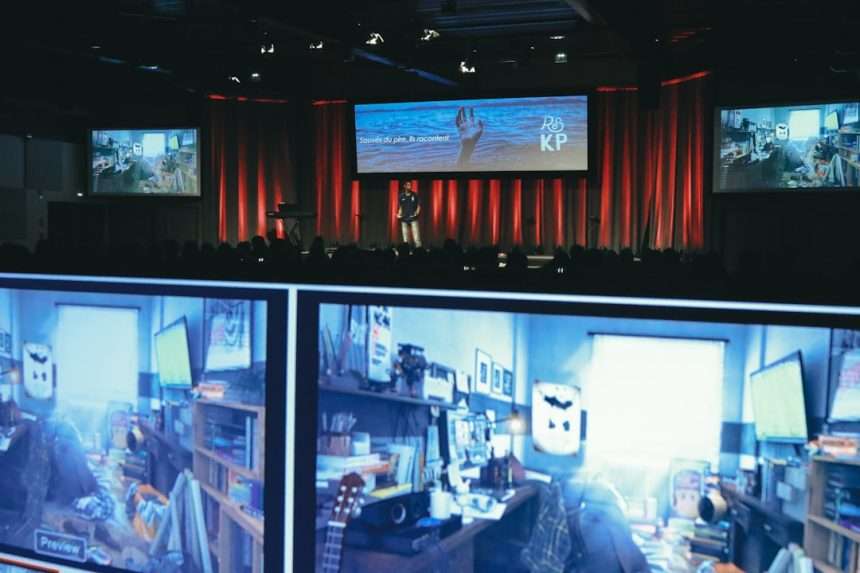
Keeping an audience engaged from the first minute to the last is no longer a “nice to have” presentation skill. Whether you are leading a sales pitch, training session, conference talk, classroom lecture, or internal strategy meeting, people expect to participate rather than passively listen. A strong interactive presentation is structured, purposeful, and respectful of attention spans.
TLDR: The best interactive presentations combine clear objectives with meaningful audience participation. Use tools such as live polls, guided discussions, short activities, storytelling, and audience-led choices to maintain focus throughout. Interaction should not feel random; every activity should support the message, improve understanding, or help people remember what matters most.
1. Start With a Live Poll That Frames the Topic
A simple live poll is one of the most reliable ways to create immediate involvement. Instead of opening with statistics or background information, ask the audience a question that connects directly to the challenge your presentation addresses. For example, a leadership trainer might ask, “What is the greatest barrier to giving effective feedback?” and offer three or four choices.
The value of a poll is not just participation; it gives you useful information. You can reference the results throughout the session, making the audience feel that the presentation is responsive rather than generic. Keep the poll short, display results clearly, and explain why the responses matter. This establishes credibility and signals that the audience’s perspective will shape the conversation.

2. Use Scenario-Based Questions
Scenario-based questions encourage people to think beyond theory. Instead of asking, “Do you understand this concept?”, present a realistic situation and ask what they would do next. This works especially well for training, compliance, customer service, healthcare, education, and management topics.
For instance, if you are presenting on negotiation, describe a difficult client conversation and ask the audience to choose the strongest response. You can invite a show of hands, use digital voting, or ask small groups to discuss their reasoning. Scenarios make abstract ideas concrete and reveal common assumptions, misunderstandings, and decision patterns.
Tip: Keep scenarios concise. A good scenario should be specific enough to feel real but not so detailed that it slows the session down.
3. Build in Short Reflection Pauses
Not every interactive moment needs to be loud or highly visible. Quiet reflection is often more effective than constant discussion, especially when the topic is complex or personal. After introducing an important idea, pause and ask the audience to write down one insight, question, or action step.
This technique gives people time to process information instead of simply receiving it. It also helps introverted participants engage meaningfully without being forced to speak publicly. After the pause, you may invite volunteers to share, but the reflection itself should be valuable even if no one does.
Reflection pauses are particularly useful after data-heavy sections, emotional stories, or strategic recommendations. They create a rhythm that prevents cognitive overload and improves retention.
4. Turn Data Into a Prediction Exercise
Data can be persuasive, but it can also become dull if presented as a series of charts. A more engaging approach is to ask the audience to predict the outcome before revealing the numbers. For example, you might ask, “Which customer segment do you think had the highest retention rate last quarter?” or “What percentage of employees report feeling disengaged at work?”
Prediction activates curiosity. People naturally want to know whether their guess was correct, which increases attention when the actual data appears. After revealing the answer, explain the implications and connect the result to your main point.
This method works well because it transforms data from a passive display into a mental challenge. It also makes surprising findings more memorable.
5. Invite the Audience to Choose the Path
When appropriate, allow the audience to influence the order or focus of your content. You might present three topics and ask which one they want to explore first. In a workshop, you could offer two case studies and let participants select the one most relevant to their work.
This does not mean giving up control. A professional presenter still sets boundaries and ensures the core message is delivered. However, giving the audience some choice increases ownership and attention. People are more likely to stay engaged when they feel the content is being tailored to their needs.
To do this effectively, prepare flexible modules in advance. Each module should stand on its own but connect back to the presentation’s central objective.

6. Use Small Group “Think, Pair, Share” Moments
The think, pair, share format is a proven technique for increasing participation. First, ask individuals to think silently about a question. Next, have them discuss their response with one or two people nearby. Finally, invite a few pairs to share key points with the larger group.
This structure lowers the pressure of speaking in front of everyone while still generating broad involvement. It is especially useful in rooms where only a few confident voices tend to dominate. By giving people time to think and speak in smaller settings first, you improve the quality of the discussion.
Use this method for questions that require judgment rather than simple facts. For example: “What is one risk we may be underestimating?” or “Which recommendation would be hardest to implement, and why?”
7. Add a Real-Time Demonstration or Mini Challenge
Demonstrations are powerful because they show rather than tell. If your topic involves a process, tool, method, or technique, consider including a brief real-time demonstration. Then, turn it into a mini challenge by asking the audience to apply what they just saw.
For example, in a presentation on clearer writing, show a poorly written sentence and ask participants to improve it. In a cybersecurity session, ask people to identify warning signs in a sample phishing email. In a product presentation, let attendees compare two workflows and identify which one saves time.
The key is to make the challenge achievable within a few minutes. It should reinforce learning, not embarrass participants. A well-designed challenge gives people a sense of progress and makes the presentation feel practical.
8. Close With a Commitment Activity
Many presentations lose momentum at the end because the conclusion becomes a summary rather than a transition to action. A commitment activity helps the audience leave with clarity. Ask participants to write down one thing they will do differently, one question they will investigate, or one person they will follow up with.
If the setting allows, invite them to share their commitment with a partner or submit it anonymously. In a business environment, this can be tied to next steps, accountability, or implementation planning. In an educational setting, it can become a learning checkpoint.
A strong commitment activity turns attention into action. It also gives the presentation a purposeful ending, rather than simply fading out after the final slide.

How to Use Interaction Without Losing Control
Interactive presentations work best when they are carefully designed. Too much participation can feel chaotic, while too little can make the audience passive. The goal is to choose activities that support your message and fit the audience, room size, time limit, and topic.
- Set expectations early: Tell the audience how and when they will be invited to participate.
- Keep instructions simple: People should understand an activity within seconds.
- Respect time: Short, focused interactions are usually more effective than long, unfocused discussions.
- Connect every activity to the objective: Avoid interaction for its own sake.
- Prepare alternatives: Have a backup plan if technology fails or participation is lower than expected.
It is also important to read the room. A senior executive briefing may require different interaction than a team workshop. A virtual audience may need more frequent prompts than an in-person group. The best presenters adapt while still maintaining a clear structure.
Final Thoughts
A creative interactive presentation is not defined by flashy technology or constant activity. It is defined by thoughtful engagement that helps people understand, evaluate, remember, and act. Polls, scenarios, reflections, predictions, audience choices, group discussions, demonstrations, and commitment activities all serve a specific purpose when used well.
The most trustworthy presenters do more than deliver information. They create conditions for attention, participation, and practical insight. When every interaction is intentional, your audience is far more likely to stay engaged from start to finish—and to remember what you said after the presentation ends.