
Moovly is a cloud-based animation and video creation platform designed for teams, educators, marketers, and business users who need to produce videos without relying on a full-scale production studio. It sits in the middle ground between simple slideshow tools and professional video editing software, offering templates, stock media, animation controls, branding options, and collaboration features in one browser-based workspace.
TLDR: Moovly is a capable online video production platform for creating animated explainers, marketing videos, training content, presentations, and social media assets. Its main strengths are its large media library, flexible templates, text-to-speech options, and practical workflow tools for non-specialist creators. It is not a replacement for advanced professional animation software, but it is a reliable choice for organizations that value speed, consistency, and ease of use.
What Is Moovly?
Moovly is an online video maker that allows users to create animated videos, promotional clips, corporate presentations, educational content, and short social media videos. Because it is cloud-based, there is no need to install heavyweight software or maintain expensive editing hardware. Users work directly in the browser, combining text, images, icons, footage, audio, voiceovers, and animations inside a visual editor.
The platform is especially useful for people who need to create professional-looking videos but do not have deep animation or editing experience. Marketing teams can produce product explainers, HR departments can build onboarding videos, teachers can create instructional clips, and small businesses can prepare branded announcements or ads. Moovly’s value lies in making structured video production more accessible while still offering enough control to support serious business use.
Interface and Ease of Use
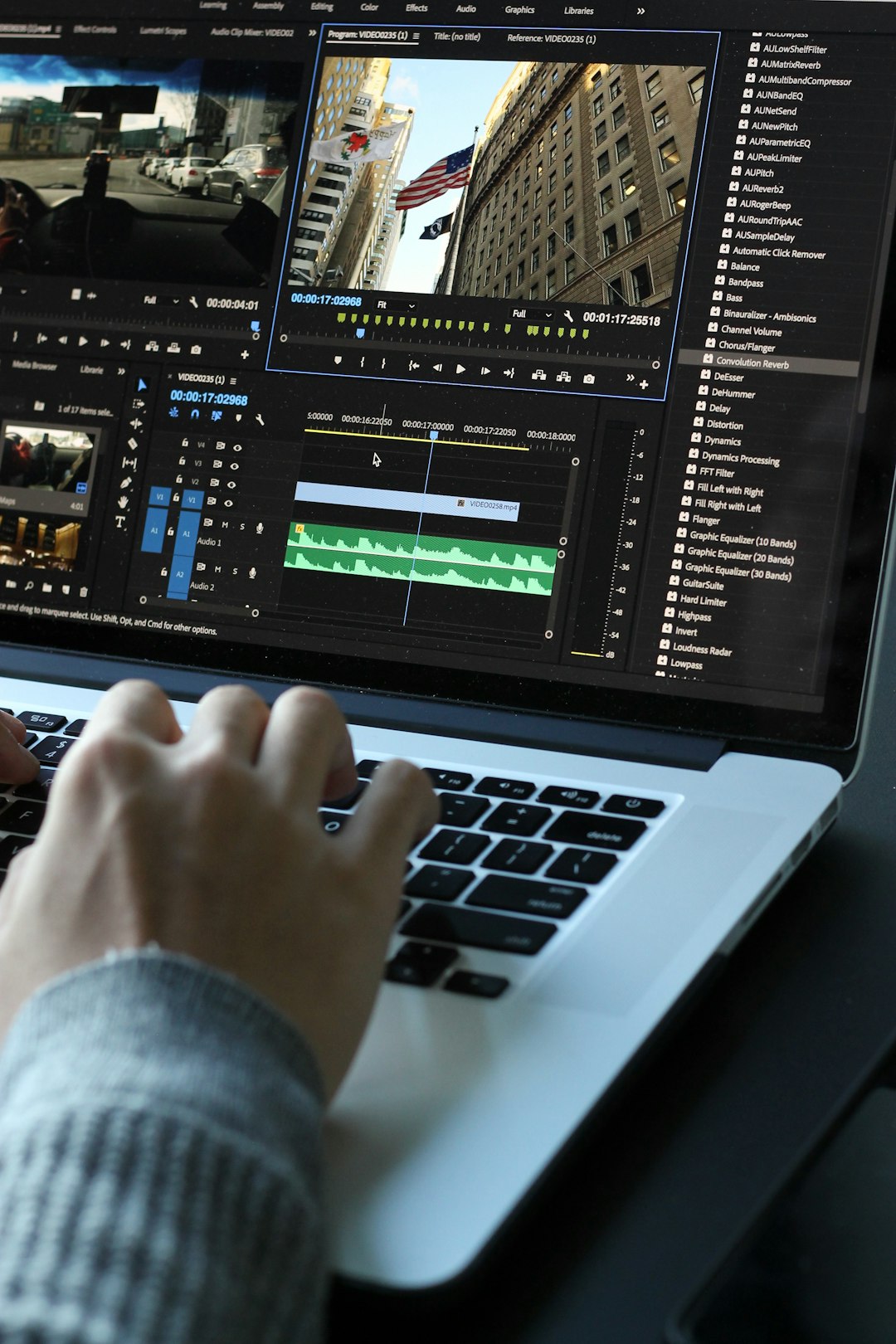
Moovly’s interface is built around a familiar editing layout. The canvas sits in the center, the timeline runs along the bottom, and content libraries or object controls appear around the workspace. This arrangement makes it easier for new users to understand how videos are assembled: objects are placed on the scene, adjusted visually, and controlled over time through the timeline.
The learning curve is moderate. Basic videos can be created quickly from templates, while more detailed productions require some time to understand timing, transitions, layering, and animation behavior. Compared with advanced editing suites, Moovly is much easier to approach. Compared with very simple drag-and-drop video apps, it offers more control and, therefore, requires a little more attention.
For most business users, this is a reasonable trade-off. Moovly does not attempt to hide every production decision. Instead, it gives users enough structure to work efficiently while preserving creative flexibility. This is important for organizations that need videos to look polished, consistent, and on-brand.
Core Features
Moovly includes a broad set of features intended to support the entire video creation process, from initial concept to final export. The most important features include:
- Drag-and-drop video editor: Users can add text, images, shapes, icons, clips, and audio directly to the canvas and timeline.
- Animation controls: Objects can move, fade, appear, disappear, zoom, rotate, and follow various animation paths.
- Stock media libraries: The platform provides access to images, footage, sounds, music, and graphic assets, depending on the plan and available integrations.
- Text-to-speech: Users can generate narration without recording their own voice, which is useful for training videos, explainers, and multilingual content.
- Voiceover recording: For a more personal or brand-specific tone, users can record narration directly or upload audio files.
- Subtitles and captions: Captioning support helps improve accessibility and makes videos more effective on platforms where sound may be muted.
- Branding controls: Teams can use colors, logos, fonts, and reusable elements to maintain visual consistency.
- Collaboration options: Depending on the plan, teams can share projects, manage assets, and streamline review processes.
These features make Moovly suitable for repeatable production rather than one-off experimentation. A company that needs to create a series of training modules, product clips, or campaign videos can reuse assets and templates instead of starting from scratch each time.
Templates and Content Types
Templates are one of Moovly’s strongest practical advantages. Rather than beginning with a blank canvas, users can choose layouts designed for common business and educational scenarios. This can significantly shorten production time, particularly when the creator already has a script, images, or brand assets prepared.
Common template categories include:
- Explainer videos for introducing services, products, or internal processes.
- Marketing and advertising videos for social media, landing pages, and paid campaigns.
- Training and onboarding videos for employees, customers, or students.
- Presentation-style videos that combine slides, motion graphics, and narration.
- Educational animations for simplifying complex topics.
- Social media content formatted for short attention spans and platform-specific dimensions.
The quality of templates is generally practical rather than overly cinematic. That is not a weakness if the goal is business communication. Most users choose Moovly because they need to explain, promote, teach, or summarize information clearly. The templates support that goal by providing structure, pacing, and visual hierarchy.
However, templates should not be used without customization. A template that is published with only minor text changes can look generic. The best results come from adapting colors, typography, images, scene order, timing, and voiceover to fit the message and audience.
Video Production Workflow in Moovly
A reliable workflow is essential for producing videos efficiently. Moovly works best when users treat it as part of a structured production process rather than simply opening the editor and improvising. A typical workflow might look like this:
1. Define the Objective
Before selecting a template or adding visuals, the creator should define the purpose of the video. Is it meant to educate, persuade, onboard, announce, or demonstrate? The answer affects the script, length, tone, visual style, and call to action.
2. Write a Concise Script
Moovly videos tend to perform best when the script is clear and focused. For a one-minute video, the script should usually be around 120 to 150 spoken words. For training or instructional videos, longer formats may be appropriate, but each section should still have a clear purpose.
3. Choose or Build a Template
Users can select an existing template or create a custom structure from scratch. For repeatable business use, it is often wise to create internal templates for recurring formats, such as product updates, weekly announcements, or training chapters.
4. Add Visual Assets
This stage includes inserting logos, icons, characters, screen captures, charts, photographs, or stock footage. Moovly’s media library helps speed up this process, but proprietary company assets often make the final video feel more credible and specific.
5. Animate and Time the Scenes
The timeline is where the video becomes polished. Users can control when objects appear, how long they remain visible, and how they transition. Timing should support comprehension. Excessive animation can distract from the message, while careful motion can guide the viewer’s attention.
6. Add Voiceover, Music, and Captions
Audio is a major part of perceived quality. A video with modest visuals but clear narration and balanced sound often feels more professional than a visually busy video with poor sound. Moovly’s text-to-speech tools are useful for fast production, but recorded human narration may be better for emotional, executive, or customer-facing content.
7. Review, Revise, and Export
The final stage should include a structured review. Check spelling, audio levels, pacing, brand consistency, and factual accuracy. Once approved, the video can be exported in the required format and resolution for websites, presentations, social platforms, or learning systems.
Strengths of Moovly
Moovly has several strengths that make it a serious option for business and educational video production.
- Accessibility: Because it runs in the browser, teams can work without specialized computers or local installations.
- Versatility: It supports a wide range of video types, from animated explainers to internal communications.
- Useful template library: Templates reduce production time and help less experienced users start with a coherent structure.
- Good balance of simplicity and control: The editor is approachable but still provides timeline-based precision.
- Scalable production potential: Reusable assets and brand elements make it suitable for ongoing content programs.
- Text-to-speech and caption support: These features are valuable for accessibility, localization, and rapid content creation.
For organizations that regularly need videos but cannot justify a dedicated animation team for every project, these strengths are meaningful. Moovly helps reduce dependency on external vendors for routine content while still allowing more complex or high-stakes projects to be outsourced when necessary.
Limitations to Consider
No platform is ideal for every use case. Moovly is powerful for an online video maker, but it has limitations compared with professional animation and editing suites.
- Advanced animation depth is limited: Users looking for complex character rigging, detailed motion design, or cinematic effects may need specialist software.
- Template-based work can look generic: Without customization, videos may resemble other content created from the same layouts.
- Browser performance can vary: Larger projects with many assets may depend on internet speed, browser stability, and system resources.
- Creative quality still depends on the user: Tools can simplify production, but they cannot replace good scripting, structure, and visual judgment.
These limitations do not make Moovly unsuitable; they simply clarify where it fits. It is best viewed as a practical production platform for clear, efficient communication, not as a full replacement for high-end post-production software.

Who Should Use Moovly?
Moovly is a strong fit for organizations and individuals who need to create videos regularly and efficiently. It is particularly useful for:
- Marketing teams producing campaign clips, ads, and product explainers.
- Human resources departments creating onboarding, policy, and training videos.
- Educators and trainers developing instructional materials and visual lessons.
- Small businesses that need professional video content without hiring a production agency for every task.
- Corporate communications teams preparing internal updates, announcements, and presentation videos.
It may be less appropriate for professional animators who require deep motion graphics control or filmmakers who need advanced color grading, multi-camera editing, and complex compositing. For those users, Moovly may still be useful for quick drafts, storyboards, or lightweight content, but not as the primary production environment.
Best Practices for Better Results
To get the most from Moovly, users should approach video production with discipline. The following practices can improve the quality and credibility of the final output:
- Start with the message, not the visuals. A clear script is more important than decorative animation.
- Keep videos concise. Most viewers prefer focused content that respects their time.
- Use brand assets consistently. Apply the same colors, fonts, logo placement, and tone across related videos.
- Avoid excessive motion. Animation should support understanding, not compete for attention.
- Prioritize audio quality. Clean narration and balanced music make videos feel more professional.
- Include captions. Captions improve accessibility and increase usefulness in sound-off viewing environments.
- Review before publishing. Check factual accuracy, spelling, timing, and visual consistency.
Overall Verdict
Moovly is a credible and capable platform for creating animated videos and structured visual content in a business-friendly workflow. Its combination of templates, stock assets, animation tools, voiceover options, and cloud accessibility makes it especially valuable for teams that need repeatable video output without excessive production overhead.
The platform’s main advantage is efficiency. It helps users move from idea to finished video faster than traditional production methods, while still offering enough control to produce polished and purposeful content. Its limitations are mostly relevant to advanced animators and professional editors who require deeper technical control.
For marketers, educators, trainers, HR teams, and small businesses, Moovly is a practical choice. It will not automatically create excellent videos on its own, but in the hands of a thoughtful user with a clear message, it can support a dependable and professional video production workflow.