Modern software teams are under constant pressure to deliver new features faster without compromising stability. Traditional deployment strategies often require full releases just to introduce small changes, increasing the risk of outages and user dissatisfaction. This challenge has led many organizations to adopt feature flag management tools like LaunchDarkly, which allow teams to release features safely, gradually, and with greater control.
TLDR: Feature flag management tools such as LaunchDarkly enable teams to release features without full deployments by decoupling code deployment from feature activation. They allow controlled rollouts, A/B testing, and instant rollback if issues occur. This reduces risk, improves agility, and empowers product teams to experiment safely. As a result, organizations can innovate faster while maintaining application stability.
Feature flags, also known as feature toggles, are conditional switches embedded in code that allow functionality to be turned on or off remotely. Instead of tying feature releases to deployment cycles, teams deploy dormant code and activate it later through a management dashboard or API. This shift fundamentally changes how software delivery works.
Understanding Feature Flags
At their core, feature flags separate deployment from release. Deployment refers to pushing code to servers or cloud environments. Release refers to making features available to users. Without feature flags, these two processes are tightly coupled.
With feature flag tools, developers can:
- Deploy code in advance without exposing unfinished features
- Gradually roll out functionality to targeted user segments
- Test features in production with minimal risk
- Instantly disable problematic features without redeploying
This capability significantly reduces the fear traditionally associated with major software releases.
How Tools Like LaunchDarkly Work
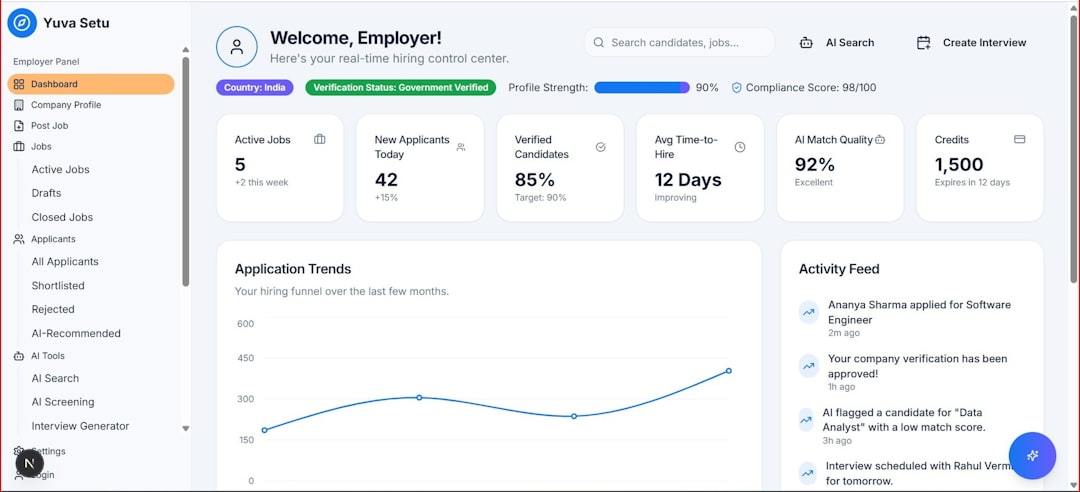
Feature flag management platforms provide a centralized control system for toggling features. Developers integrate a lightweight SDK into their application, which communicates with the feature flag service. This setup enables near real-time updates without requiring server restarts or new builds.
When a user interacts with the application, the system evaluates predefined rules such as:
- User attributes (location, subscription tier, device type)
- Percentage rollouts (e.g., 10% of users)
- Beta testing groups
- Environment conditions (staging vs production)
Based on these rules, the feature is either enabled or hidden. Teams gain full visibility through dashboards that display performance metrics, user impact, and flag status across environments.
Benefits of Feature Flag Management Tools
1. Safer Releases
One of the most compelling advantages is safety. Instead of launching a feature to all users at once, organizations can release it incrementally. If errors or performance issues emerge, the feature can be turned off immediately. There is no need for emergency patches or rollbacks.
This reduction in deployment risk is particularly valuable in industries that require high availability, such as finance, healthcare, and e-commerce.
2. Faster Innovation Cycles
By decoupling deployment from release, developers can ship code continuously. Product teams no longer need to wait for large release windows. This supports modern methodologies such as continuous integration and continuous deployment (CI/CD).
Frequent, smaller updates improve feedback loops and promote experimentation.
3. A/B Testing and Experimentation
Feature flags enable controlled experimentation. Teams can expose two variations of a feature to different user segments and collect behavioral data. This data-driven approach reduces guesswork and validates product decisions with measurable evidence.
For example, an e-commerce platform might test two checkout flows to determine which produces higher conversion rates.

4. Operational Control and Incident Response
If a new feature begins causing system strain, memory leaks, or unexpected crashes, operations teams can disable it instantly. This ability acts as a built-in safety net.
Instead of:
- Rolling back entire deployments
- Rebuilding applications
- Triggering emergency issue pipelines
Teams simply toggle the offending feature off. This responsiveness significantly improves uptime and customer trust.
5. Targeted Personalization
Feature flags also support sophisticated user segmentation. Companies can tailor functionality based on geography, device type, or subscription level. Premium users might receive early access to features, while free-tier users experience a simplified interface.
This granular control enhances personalization without maintaining separate codebases.
Use Cases Across Industries
Feature flag management tools are not limited to tech startups. Enterprises across sectors rely on them.
- Financial Services: Gradual rollout of compliance-related updates while monitoring regulatory impact.
- Healthcare: Controlled feature activation to ensure patient data integrity and HIPAA compliance.
- E-commerce: Real-time experimentation with pricing displays, search functionality, and checkout optimizations.
- SaaS Platforms: Tier-based feature control aligned with subscription models.
In each case, the consistent objective is minimizing risk while maximizing agility.
Best Practices for Using Feature Flags
While feature flag tools offer powerful capabilities, improper usage can create technical debt. Best practices ensure long-term sustainability.
Keep Flags Temporary
Feature flags should not remain in the codebase indefinitely. Old or unused flags add complexity and confusion. Teams are encouraged to remove flags once features are fully released or deprecated.
Establish Clear Naming Conventions
Descriptive naming helps teams understand what each flag controls. For example:
- checkout redesign experiment
- premium dashboard access
- new payment gateway rollout
Control Access and Governance
Not every team member should have the authority to toggle production features. Role-based permissions reduce the risk of accidental disruptions.
Monitor Performance Continuously
Feature releases should always be accompanied by monitoring metrics such as error rates, latency, and user engagement. Observability tools combined with feature flags provide real-time insights.

Challenges and Considerations
Despite their advantages, feature flag tools introduce complexity if mismanaged.
Potential challenges include:
- Flag sprawl: Too many active flags create confusion.
- Testing complexity: Multiple feature combinations require rigorous quality assurance.
- Dependency risks: Features relying on other toggled components may conflict.
Organizations must integrate feature flag strategies into their broader DevOps workflows. Proper documentation and lifecycle management are essential.
The Strategic Impact on DevOps Culture
Beyond technical benefits, feature flag management tools contribute to cultural transformation. They empower cross-functional collaboration between developers, operations, marketing, and product teams.
For example:
- Marketing teams can schedule timed feature activations.
- Product managers can manage beta programs independently.
- Engineers maintain stable code deployments.
This collaboration reduces bottlenecks and encourages shared ownership of product outcomes.
Organizations that adopt feature flag tools often report:
- Shorter release cycles
- Improved system reliability
- Higher experimentation frequency
- Enhanced customer satisfaction
The ability to innovate without fear becomes a competitive advantage.
Conclusion
Feature flag management tools like LaunchDarkly have redefined modern software release strategies. By separating deployment from activation, they allow teams to introduce new functionality safely and incrementally. Controlled rollouts, real-time experimentation, and instant rollback capabilities dramatically reduce risk. When implemented with proper governance and monitoring, feature flags provide the foundation for rapid innovation without sacrificing stability.
Frequently Asked Questions (FAQ)
1. What is a feature flag?
A feature flag is a conditional control mechanism in code that allows teams to enable or disable specific functionality without deploying new code.
2. How do feature flag tools reduce risk?
They allow gradual rollouts and instant deactivation of features if problems occur, eliminating the need for full rollbacks or emergency deployments.
3. Are feature flags only useful for large organizations?
No. Startups and small teams also benefit by testing features safely and iterating quickly without complex deployment processes.
4. Do feature flags impact application performance?
Modern tools use optimized SDKs and caching strategies, ensuring minimal performance overhead in most production environments.
5. How should teams manage old feature flags?
Teams should treat flags as temporary mechanisms and remove them once the feature is permanently enabled or retired to prevent technical debt.
6. Can non-developers control feature flags?
Yes. Many platforms provide user-friendly dashboards that allow product managers and other stakeholders to manage feature releases within controlled permission settings.
7. Are feature flags compatible with CI/CD pipelines?
Absolutely. They complement CI/CD methodologies by allowing continuous deployment while maintaining control over user-facing releases.