

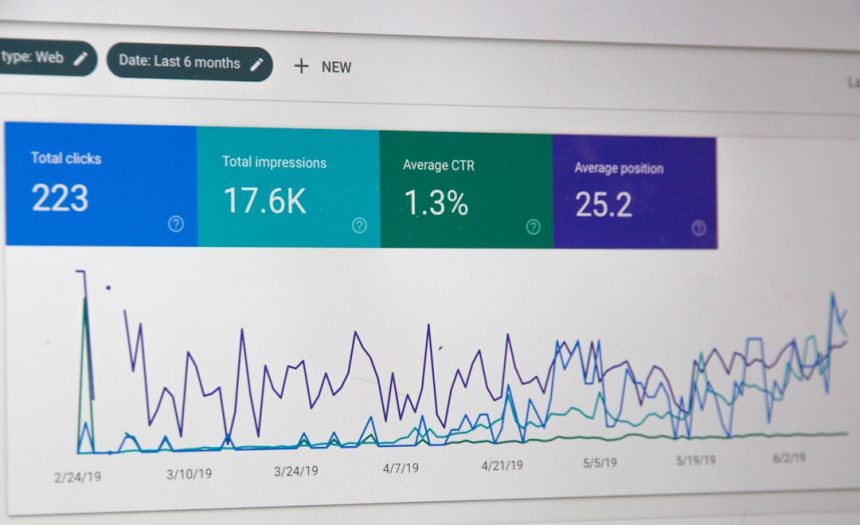
The best sales automation stack starts with a CRM, then adds prospecting, sequencing, scheduling, conversation intelligence, and proposal tools. For most growing teams, a practical shortlist includes HubSpot Sales Hub, Salesforce Sales Cloud, Pipedrive, Outreach, Salesloft, Apollo.io, Gong, ZoomInfo, LinkedIn Sales Navigator, Zapier, Calendly, Chili Piper, and PandaDoc. Each tool solves a different bottleneck. The goal is simple: remove manual work without making the sales process feel robotic.
TLDR: Sales automation works best when it cuts admin time, improves follow-up speed, and keeps CRM data clean. A 12-person sales team that saves 45 minutes per rep per day gains about 45 extra selling hours each week. For example, pairing HubSpot, Apollo.io, Calendly, and PandaDoc can help a small B2B team source leads, book meetings, and send proposals with fewer handoffs. Do not buy every tool at once; start with the slowest part of your sales process.
1. HubSpot Sales Hub
Best for: growing teams that want CRM, email tracking, sequences, meetings, and pipeline tools in one place.
HubSpot Sales Hub is popular because it is easy to adopt. Reps can log emails, build follow-up sequences, track deal stages, and view contact history without much training. Managers get clear reporting on activity and pipeline health.
The catch is… costs can rise quickly as teams add advanced reporting, custom automation, and more seats. Still, for small and mid-sized teams, it is one of the safest first choices.
2. Salesforce Sales Cloud
Best for: larger teams with complex sales processes, multiple territories, and strict reporting needs.
Salesforce Sales Cloud is powerful and highly configurable. It supports lead routing, forecasting, account management, approvals, and deep integrations. It is often the system of record for mature sales organizations.
The downside is setup time. Poor configuration can turn Salesforce into a slow database instead of a sales engine. Budget for admin support and clean process design.
3. Pipedrive
Best for: sales teams that want a clean, visual pipeline without enterprise complexity.
Pipedrive focuses on deal movement. Reps can see active opportunities, next steps, follow-up dates, and lead status at a glance. Automation can assign tasks, trigger emails, and reduce missed follow-ups.
It is a strong fit for SMB teams that care more about pipeline control than heavy customization.
4. Outreach
Best for: outbound sales teams running multi-step email, call, and social sequences.
Outreach helps reps manage structured prospecting at scale. Teams can build sequences, test messaging, prioritize tasks, and track engagement. Managers can review reply rates and coach based on real activity data.
Expect a learning curve. It can feel heavy if your outbound process is still rough or your contact data is poor.
5. Salesloft
Best for: teams that need sales engagement, cadence management, and rep coaching.
Salesloft is similar to Outreach but has a polished focus on seller productivity. It supports email automation, call workflows, meeting tracking, and analytics. Many teams use it to standardize prospecting across SDRs and account executives.
It works best when managers enforce clear rules. Without that, sequences pile up and reps start sending bland messages.
6. Apollo.io
Best for: prospecting, contact data, and outbound campaigns in one platform.
Apollo.io combines a B2B contact database with email sequences, lead filters, enrichment, and basic CRM-style workflows. It is useful for teams that need to build lists and contact prospects fast.
Data quality varies by market, so verify key contacts before major campaigns. Even a 10% bounce rate can hurt sender reputation if ignored.

7. Gong
Best for: conversation intelligence, call review, and deal inspection.
Gong records sales calls, transcribes them, and highlights patterns across conversations. Leaders can see objection trends, competitor mentions, pricing concerns, and deal risks. Reps can study strong calls instead of guessing what good sounds like.
Honestly, it feels like wasted money if managers never review the insights. Gong needs a coaching routine to pay off.
8. ZoomInfo
Best for: data enrichment, account research, and intent signals.
ZoomInfo helps teams find company data, contact details, org charts, and buying signals. It is useful for account-based sales teams that need strong targeting before outreach begins.
It is not cheap. Before buying, compare the expected lift in qualified meetings against the subscription cost.
9. LinkedIn Sales Navigator
Best for: relationship-based prospecting and account research.
LinkedIn Sales Navigator helps reps identify buyers, save leads, track job changes, and find shared connections. It is especially useful in B2B sales where timing and trust matter.
Its value depends on rep discipline. Random connection requests will not scale. Targeted research and relevant messages work better.
10. Zapier
Best for: connecting sales tools without custom development.
Zapier moves data between apps. For example, it can create a CRM lead when someone fills out a form, notify Slack when a large deal moves stages, or add webinar attendees to a follow-up sequence.
It drives me crazy that small broken automations often go unnoticed for weeks. Assign someone to check failed tasks and field mapping every month.
11. Calendly
Best for: reducing back-and-forth meeting scheduling.
Calendly lets prospects book available times based on rep calendars. It can route meetings, collect form details, add video links, and send reminders.
This is one of the fastest wins in sales automation. If reps spend 15 minutes per meeting booking times manually, a team booking 200 meetings per month can waste 50 hours on scheduling alone.
12. Chili Piper
Best for: inbound lead routing and instant meeting booking.
Chili Piper is built for teams that rely on demo requests and high-intent inbound leads. It can qualify leads, route them to the right rep, and let qualified buyers book a meeting right after form submission.
Speed matters here. Contacting a hot lead in five minutes is very different from waiting until tomorrow. Chili Piper helps reduce that delay.
13. PandaDoc
Best for: proposals, quotes, contracts, and e-signatures.
PandaDoc helps teams create proposal templates, fill pricing tables, track document views, and collect signatures. It cuts the messy work between verbal approval and closed deal.
Sales teams often lose momentum at the proposal stage. A clean template library and automatic reminders can shorten that gap.

How to choose the right tools
Start with the bottleneck, not the brand. If reps miss follow-ups, fix CRM tasks and sequencing. If pipeline is thin, improve prospecting data. If meetings are slow to book, add scheduling. If deals stall after demos, review calls and proposals.
- For small teams: consider HubSpot, Apollo.io, Calendly, and PandaDoc.
- For outbound teams: compare Outreach, Salesloft, Apollo.io, and ZoomInfo.
- For enterprise teams: Salesforce, Gong, Chili Piper, and ZoomInfo may fit better.
- For lean operations: Pipedrive and Zapier can cover many basics at lower cost.
Common mistakes to avoid
- Automating bad messaging: weak emails sent at scale only create more ignored emails.
- Skipping data hygiene: duplicate records and outdated contacts ruin reporting.
- Buying too many tools: more software can mean more admin work.
- Ignoring adoption: if reps do not use the tool daily, the investment fails.
A strong sales automation stack should help reps sell more, not bury them in screens. Choose tools that fit your sales motion, connect cleanly with your CRM, and produce measurable gains. Track time saved, meetings booked, reply rates, sales cycle length, and close rates. If a tool does not improve at least one of those numbers within a reasonable trial period, cut it or rework the process behind it.







